Turn WordPress Profile Pictures into Customizable Avatars
WhatAvatar Coupon – 2026
WhatAvatar is a WordPress plugin that lets website members create their own custom avatars without uploading personal photos.
Turn WordPress Profile Pictures into Customizable Avatars
WhatAvatar Coupon – 2026
WhatAvatar is a WordPress plugin that lets website members create their own custom avatars without uploading personal photos.
Exclusive Discount
Only for WPdiscounts.io visitors.
Limited Time Offer
Claim this offer before it ends.
Offer Expired - Check back soon!
Table of Content
About
Founder: Irene Berna
Website: whatavatar.com
Community: Community

What is WhatAvatar?
View WhatAvatar Coupons, Discounts, Promo Codes, & Pricing Plans below.
WhatAvatar is a WordPress plugin that lets website members create their own custom avatars without uploading personal photos. It replaces traditional profile pictures with a fun avatar editor where users can mix and match different facial features, hairstyles, clothes, accessories, and colors to build a digital identity.
The plugin is especially useful for websites with active communities, membership platforms, and online learning portals. Instead of allowing everyone to upload profile pictures, website owners can give members a collection of approved avatar elements. This makes it easier to control what appears on user profiles while reducing the risk of inappropriate or copyrighted image uploads.
WhatAvatar offers a free version through the WordPress plugin directory, along with paid PRO licenses for users who need additional customization options. The PRO version includes premium avatar designs, themed bundles, advanced color controls, dark mode, and high-resolution avatar downloads.
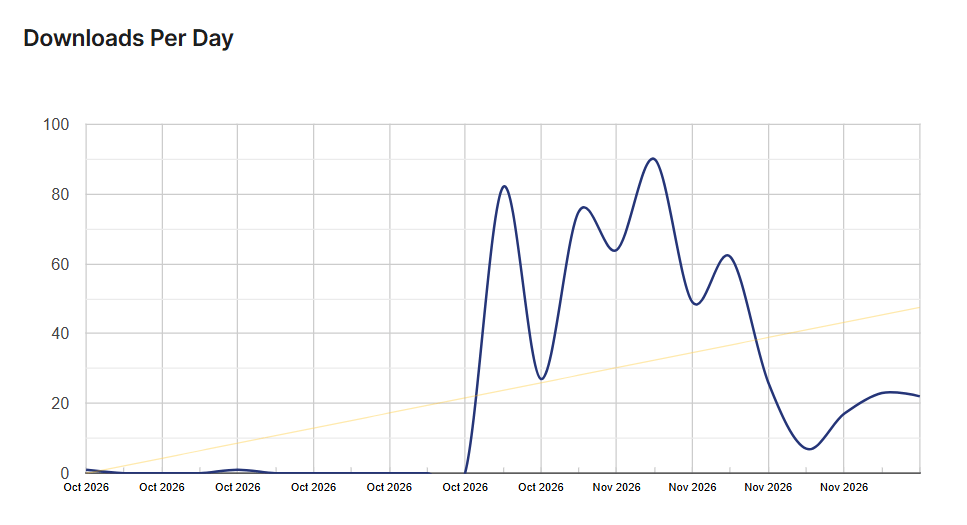
WhatAvatar Usage Statistics
Key Features of WhatAvatar
Here are some key features of WhatAvatar you should know:
- Custom Avatar Builder: Let members create personalized avatars using different hairstyles, facial features, clothing, accessories, and backgrounds.
- Avatar Part Management: Choose which avatar elements users can access and disable specific options that do not fit your website.
- Privacy Protection: Replace traditional profile picture uploads with approved avatar designs to reduce inappropriate image uploads.
- Gravatar Replacement: Disable Gravatar and use custom-created avatars across your WordPress website.
- Gamified Avatar Unlocks: Use GamiPress points, achievements, and ranks to make special avatar items available as members progress.
- Automated Unlocks: Connect AutomatorWP to unlock avatar items after purchases, course completions, and other user actions.
- Default Avatars: Set default avatar designs for new members and visitors who have not created their own.
- Custom UI Themes: Give the avatar editor a different appearance using dark mode and custom color options with PRO.
- High-Resolution Downloads: Allow members to download their customized avatars for use on other platforms with PRO.
- WordPress Block and Shortcode: Display the avatar editor or user avatar using the dedicated block or
[whatavatar]shortcode.
WhatAvatar Coupons, Discounts, and Pricing Plan
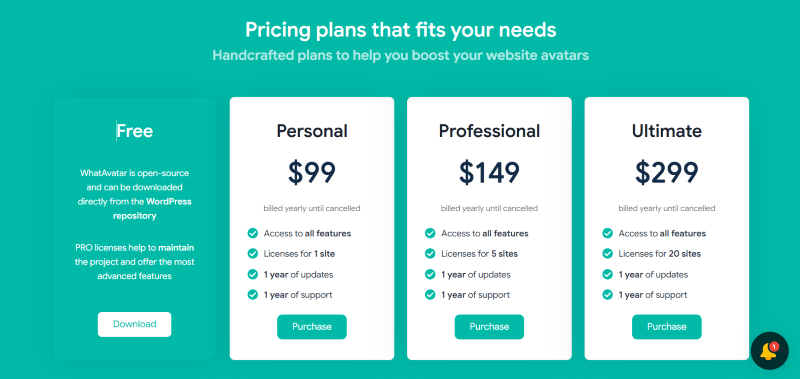
WhatAvatar has a very straightforward pricing plan.
| Plan | Price | Website Licenses |
| Free | $0 | Free version |
| Personal | $99/year | 1 website |
| Professional | $149/year | 5 websites |
| Ultimate | $299/year | 20 websites |
WhatAvatar Discounts
There is no discount available on the WhatAvatar yearly pricing plan.
WhatAvatar Lifetime Deals
There are no lifetime deals available for WhatAvatar.
How To Avail The WhatAvatar Coupon?
Step 1: Go to the pricing page and select the plan you want to buy.
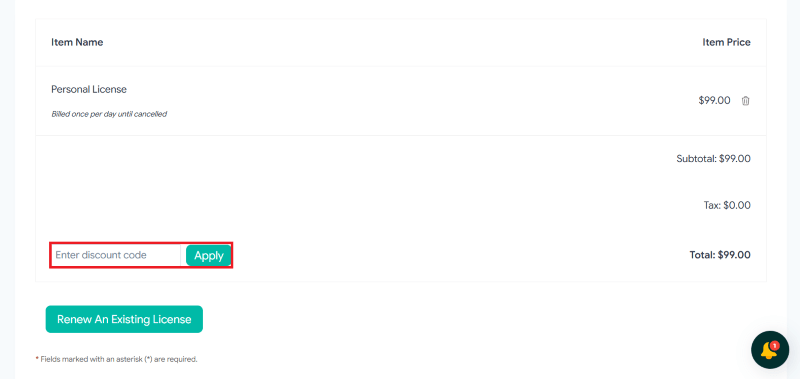
Step 2: On the WhatAvatar checkout page, click on “Have a discount code”
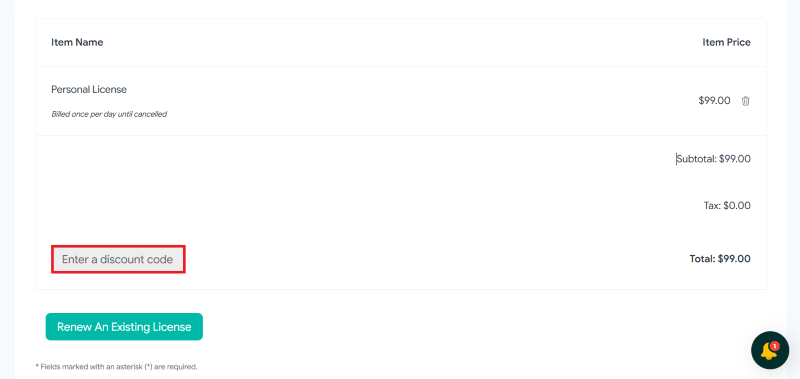
Step 3: Add the discount code in the field and click “Apply” to get the discount.
How To Install The WhatAvatar Plugin on WordPress?
Step 1: Visit the WhatAvatar website, choose the Pro or Free version, and download the plugin. You may receive the plugin as a zip file in your email or elsewhere.
Step 2: Log in to your WordPress dashboard
Step 3: Navigate to Plugins > Add New
Step 4: Click on Upload Plugin and select the WhatAvatar ZIP file you downloaded.
Step 5: Click Install Now.
Step 6: After installation, go to Plugins > Installed Plugins and activate WhatAvatar.
Step 7: Follow the prompts to configure WhatAvatar’s initial settings after activation. The plugin is now configured to be utilized.
For Whom This Product Is Built For?
This product is built for:
- Online Community Owners: Give members a fun way to create their own identities and interact with other users.
- Membership Website Owners: Offer custom avatars as an additional feature for registered members.
- LMS Website Owners: Reward students with exclusive avatar items after completing courses or reaching learning milestones.
- Gaming Communities: Use collectible avatar items and achievements to encourage participation.
- Website Owners Working With Children: Reduce exposure to inappropriate profile pictures by offering pre-approved avatar designs.
- WooCommerce Store Owners: Reward customers with exclusive avatar accessories after purchasing products.
- Course Creators: Make learning platforms more engaging by connecting avatar rewards to student progress.
WhatAvatar Alternatives
Here are some alternatives to the WhatAvatar plugin.
- Simple Local Avatars
- One User Avatar
- User Profile Picture
- Basic User Avatars
We’d love to hear your thoughts and opinions on WhatAvatar. Share your experiences and insights in the comments below.
WhatAvatar
Get 30% OFF
You Might Also Like
{post_title: link}

{post_title: link}

{post_title: link}
From the WPdiscounts Blog
 A static website built with HTML and CSS gives developers control over page structure, layout, and appearance. However, making routine changes often requires editing code,…
November 10, 2026
- If your hosting provider includes an AI website builder, building a WordPress website can take less time. Instead of creating every page from scratch, you…
November 6, 2026
 Introduction Moving a WordPress website can look simple from the outside, but a working site includes more than pages and images. WordPress’s own documentation explains…
October 15, 2026