

WordPress security is no longer optional. Modern WordPress websites handle customer accounts, online payments, memberships, course platforms, private content, and business data every single day. That also makes WordPress websites a constant target for brute force attacks, malware injections, spam bots, unauthorized logins, and plugin vulnerabilities.
For years, many website owners relied on iThemes Security, which later became Solid Security under the StellarWP brand. However, after multiple product and branding transitions inside the StellarWP ecosystem, many users now feel uncertain about the long-term direction of the product.
Today, Solid Security is closely tied to the broader Liquid Web and Kadence ecosystem after several acquisitions and brand consolidations backed by private equity ownership. For some WordPress professionals, agencies, and business owners, this created trust concerns around product identity, long-term focus, support consistency, pricing changes, and the future roadmap of the platform.
That is one reason many WordPress users now search for Solid Security alternatives that offer clearer positioning, lighter performance, stronger login protection, better activity monitoring, or more specialized security features without depending on large bundled ecosystems.
Another major shift is how WordPress security itself has evolved.
Website owners no longer want security plugins that only scan for malware once in a while. Modern WordPress websites require tools that can:
- Protect login systems and user accounts
- Monitor suspicious user activity
- Track administrator changes
- Enforce stronger password policies
- Restrict access to private content
- Detect unusual behavior early
- Reduce plugin bloat and server load
- Improve WooCommerce and membership security
Many businesses now prefer specialized security plugins instead of relying on one large all-in-one security suite that tries to handle everything.
Some website owners prioritize vulnerability scanning and firewall protection. Others care more about audit logs, login security, or restricting website access for staging and client projects.
If you are looking for the best Solid Security alternatives for your WordPress website, this guide covers several reliable options designed for different security needs, workflows, and website types.
Comparison Table of Top Solid Security Alternatives
| Plugin | Main Focus | Best For | Key Advantage | Starting Price |
| WP Security Ninja | Website security and vulnerability scanning | Agencies and businesses | Automated security testing tools | $119.99/year |
| Password Protected | Website access restriction | Private and staging websites | Lightweight password protection | $59.99/year |
| WP Activity Log | User activity monitoring | Multi-user websites | Detailed audit tracking | $139/year |
| Activity Log Pro | Advanced activity logging | Compliance-focused businesses | Real-time user monitoring | $29.99/year |
| Login Security | Login authentication protection | Membership and WooCommerce sites | Strong login security controls | $59/year |
| LoginPress | Login security and customization | Branded login experiences | Login page customization tools | $199/year |
1. WP Security Ninja
Get 20% OFF on all plans of WP Security Ninja
WPDISCOUNTS20
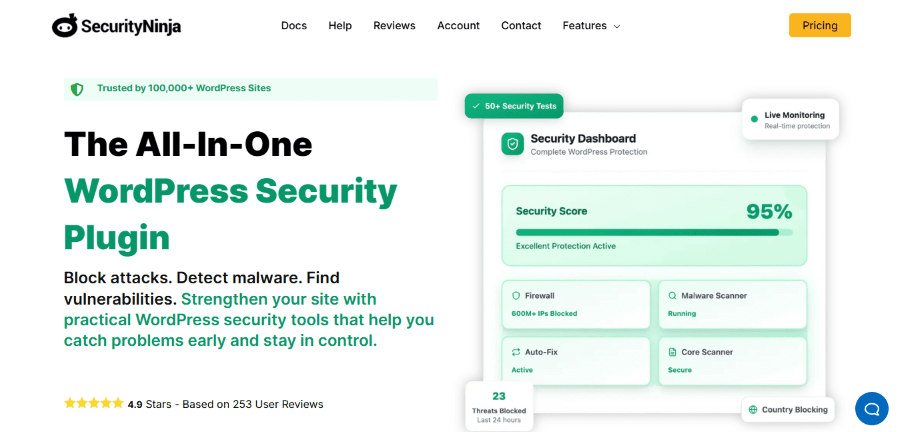
WP Security Ninja is a WordPress security plugin designed to help users identify vulnerabilities, strengthen website protection, and monitor security risks from one dashboard.
The plugin focuses heavily on security testing and hardening instead of overwhelming users with complicated configurations. It includes malware scanning, firewall tools, event logging, login protection, and security checks.
WP Security Ninja is widely used by agencies, developers, and website owners who want a security plugin that balances ease of use with practical protection tools.
One reason the plugin stands out is its collection of automated security tests that scan websites for weak settings, exposed files, outdated configurations, and other vulnerabilities.
Key Features
- Security vulnerability scanner: WP Security Ninja runs security tests to detect common WordPress vulnerabilities and risky configurations.
- Malware scanner integration: The plugin helps monitor websites for suspicious files and malware-related threats.
- Login protection tools: Users can protect WordPress login pages against brute force attacks and unauthorized access.
- Security event logs: Website owners can review important security-related actions and events from the dashboard.
- Firewall protection: WP Security Ninja includes firewall functionality to help block malicious traffic and suspicious requests.
- Core file integrity checks: The plugin monitors WordPress core files and alerts users about unexpected changes.
Pricing
At the time of writing:
- Starter plan: $119.99 per year for 1 website
- Team plan: $199 per year for 3 websites
- Business plan: $399 per year for 10 websites
- Professional plan: $599 per year for 25 websites
Best For
WP Security Ninja works well for:
- Agencies managing client websites
- Small businesses
- Bloggers
- WooCommerce websites
- Users looking for practical security hardening tools
2. Password Protected
Get 10% OFF on all plans of Password Protected
WPDiscounts
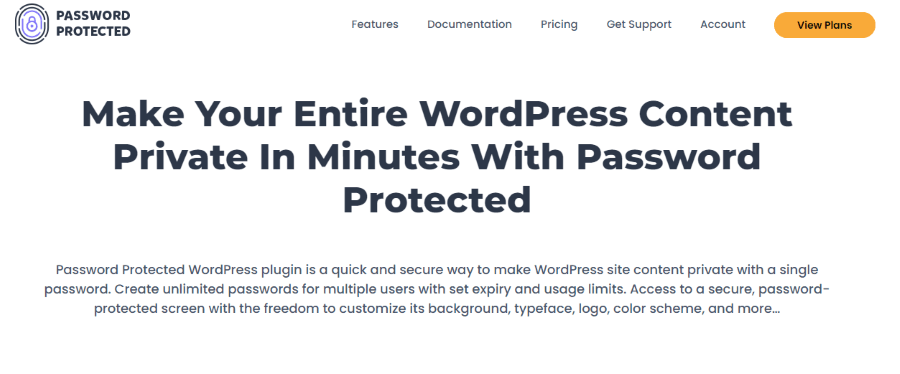
Password Protected is a lightweight WordPress plugin designed for websites that need restricted access and private content protection.
Unlike large security suites, this plugin focuses specifically on password-based website protection. Users can restrict access to the entire WordPress website or selected content areas.
The plugin is commonly used for development websites, staging environments, membership previews, client projects, and private business portals.
Its simple setup process makes it attractive for website owners who want quick access control without complex security management.
Key Features
- Website-wide password protection: Users can secure the entire WordPress website behind a password wall.
- User role exemptions: Specific WordPress user roles can bypass password restrictions.
- Google indexing control: The plugin can help discourage search engines from indexing protected websites.
- Simple setup process: Website owners can activate password protection without technical configuration.
- Protected RSS feeds: The plugin can restrict unauthorized access to RSS feeds and private content.
- Password exceptions: Administrators can whitelist IP addresses and allow selected users to bypass restrictions.
Pricing
At the time of writing:
- Basic plan: $59.99 per year
- Professional plan: $79.99 per year
- Business plan: $99.99 per year
Best For
Password Protected is ideal for:
- Development and staging websites
- Agencies working on client projects
- Membership previews
- Private websites
- Internal company portals
3. WP Activity Log
Get 15% OFF on all plans of WP Activity Log
WPFOUNDERS15
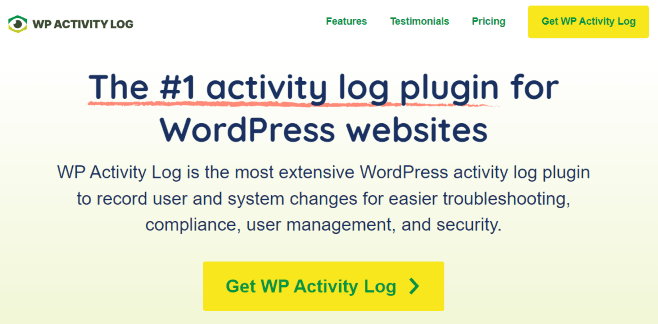
WP Activity Log is one of the most popular WordPress activity monitoring plugins available today.
Instead of focusing mainly on malware scanning or firewalls, the plugin helps website owners monitor user activity across WordPress websites.
It records important actions like user logins, plugin changes, content updates, failed login attempts, WooCommerce activity, and administrative changes.
For websites with multiple users, editors, administrators, or remote teams, activity monitoring can become critical for accountability and troubleshooting.
WP Activity Log is widely used by agencies, membership websites, educational platforms, and WooCommerce stores.
Key Features
- User activity monitoring: The plugin tracks user actions across WordPress websites in real time.
- WooCommerce activity tracking: Website owners can monitor store activity, orders, and customer-related changes.
- Login monitoring: Users can review login attempts, failed logins, and suspicious account activity.
- Detailed audit logs: WP Activity Log records changes made to plugins, themes, settings, and content.
- Email notification support: Administrators can receive alerts for important website activity and security events.
- User session tracking: The plugin helps website owners monitor logged-in users and active sessions.
Pricing
At the time of writing:
- Free Plan available.
- Premium Plan: $139 per year
- Enterprise Plan: $189 per year
A free version is also available.
Best For
WP Activity Log is suitable for:
- Membership websites
- WooCommerce stores
- Educational platforms
- Multi-user websites
- Agencies managing teams and clients
4. Activity Log Pro
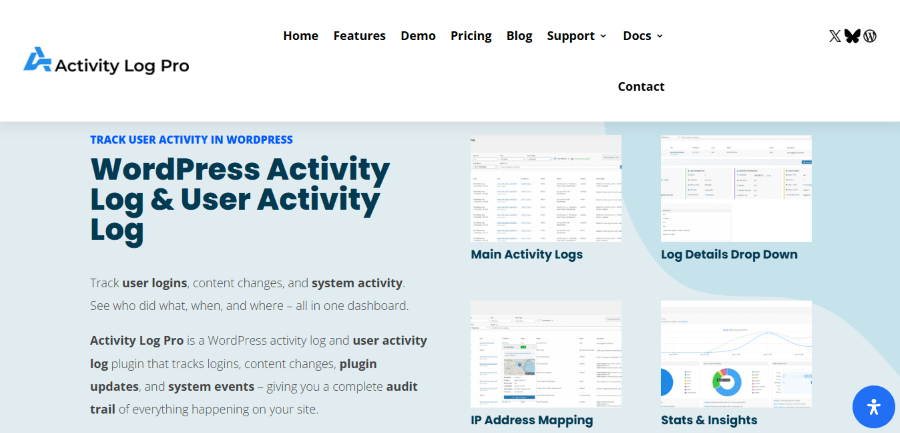
Activity Log Pro is another WordPress activity monitoring plugin designed for websites that need advanced user tracking and audit reporting.
The plugin focuses on helping website administrators monitor changes, improve accountability, and investigate suspicious behavior.
Activity Log Pro tracks actions performed by users, plugins, themes, and system processes across WordPress websites.
It is often used by businesses and organizations that need visibility into website activity for compliance, security, and operational management.
Key Features
- Real-time activity tracking: Activity Log Pro monitors user actions and system changes instantly.
- Detailed reporting tools: Website administrators can generate reports for user activity and website events.
- User session management: The plugin helps track active user sessions and login behavior.
- Notification alerts: Users can receive alerts for suspicious or important website activity.
- Advanced filtering options: Administrators can filter activity logs to review specific user actions more efficiently.
- Exportable activity reports: The plugin supports exporting audit logs and reports for record keeping and compliance.
Pricing
At the time of writing:
- Personal Plan: $29.99 per year
- Business Plan: $59.99 per year
- Developer Plan: $139.99 per year
Best For
Activity Log Pro works well for:
- Business websites
- Organizations with multiple administrators
- Compliance-focused websites
- WooCommerce stores
- Websites requiring advanced audit tracking
5. Login Security
Get 15% OFF on all plans of Login Security
WPFOUNDERS15
Login Security by Melapress is a WordPress plugin designed specifically for strengthening login protection and authentication security.
Instead of offering broad website security features, the plugin focuses entirely on securing WordPress login systems.
It includes tools like two-factor authentication, password policies, brute force protection, and login controls.
The plugin is useful for websites where account security is a high priority, especially membership websites, online stores, and business portals.
Key Features
- Two-factor authentication: Users can add an extra security layer to WordPress logins.
- Password policy enforcement: Website administrators can create stronger password requirements for users.
- Brute force protection: The plugin helps block repeated unauthorized login attempts.
- User login controls: Administrators can manage login settings and authentication security from one dashboard.
- Time-based one-time passwords: The plugin supports authentication apps for secure login verification.
- Trusted devices feature: Users can reduce repeated authentication requests on approved devices.
Pricing
At the time of writing:
- Free Plan available.
- Premium Plan: $59 per year
- Enterprise Plan: $69 per year
Best For
Login Security is ideal for:
- Membership websites
- WooCommerce stores
- Business portals
- Websites handling sensitive user data
- Multi-user WordPress websites
6. LoginPress
Get 30% OFF on all plans of LoginPress
LoginPressDiscount
LoginPress is a WordPress plugin focused on improving login page security and customization.
While many security plugins focus only on backend protection, LoginPress combines login security features with branding and user experience improvements.
The plugin allows website owners to customize WordPress login pages while adding security features like login limits, Google reCAPTCHA, social login support, and login redirects.
It is widely used by agencies, membership websites, educational platforms, and businesses that want professional-looking login systems.
Key Features
- Custom login page builder: LoginPress allows users to redesign the WordPress login page without coding.
- Login protection tools: The plugin supports reCAPTCHA, login limits, and login security enhancements.
- Social login integration: Users can enable login through social media accounts.
- Login redirects and customization: Administrators can create custom login workflows for different users.
- Custom error messages: Website owners can personalize login error messages and user notifications.
- Login page branding: Users can customize logos, backgrounds, and design elements for branded login pages.
Pricing
At the time of writing:
- Startup plan: $199 per year
- Agency plan: $399 per year
- Lifetime plan: $999 lifetime
A free version is also available.
Best For
LoginPress works well for:
- Membership websites
- Educational platforms
- Agencies
- Business websites
- Websites needing branded login experiences
Benefits of Using Specialized WordPress Security Plugins
Using dedicated WordPress security tools can help website owners reduce risks and improve operational control.
Modern security plugins can help businesses:
- Prevent unauthorized logins
- Track suspicious user activity
- Improve password security
- Protect customer accounts
- Restrict access to private areas
- Detect risky behavior early
- Improve accountability for teams and administrators
For WooCommerce stores and membership websites, login security and user tracking can directly affect customer trust.
Security incidents can damage brand reputation, interrupt operations, and expose sensitive customer information.
That is why many businesses now use specialized security plugins instead of relying only on basic hosting security.
Which Solid Security Alternative Should You Choose?
The best option depends on what type of protection your website needs most.
If you want broad vulnerability scanning and security hardening, WP Security Ninja is a strong option.
If you need lightweight website access control, Password Protected offers a simple solution.
For websites with multiple users and administrators, WP Activity Log and Activity Log Pro provide detailed monitoring and audit tracking.
If login security is your main concern, Login Security focuses heavily on authentication protection.
If you want to improve both login security and user experience, LoginPress combines branding and login protection features.
Final Thoughts
Finding the best Solid Security alternatives depends on how your website operates and what security risks you want to reduce.
Some websites need stronger login protection, while others require advanced activity tracking or private access control.
The plugins covered in this guide each solve different WordPress security challenges.
Instead of relying on one large security suite for everything, many businesses now combine focused security tools that match their workflow.
Before choosing a plugin, review your website’s user activity, login requirements, content sensitivity, and operational structure carefully.
That approach will help you select a WordPress security solution that supports long-term website protection and business stability.