

Running a WooCommerce store is very different from running a simple WordPress blog.
A regular website mostly serves static pages and images. A WooCommerce store constantly processes dynamic requests such as shopping carts, customer sessions, product searches, account dashboards, and checkout pages. This means your hosting stack needs to work harder.
If your hosting is slow, customers notice it immediately.
Slow product pages increase bounce rates. Delayed cart updates frustrate users. A laggy checkout experience directly impacts conversions and revenue.
This is why many store owners now prefer WooCommerce hosting providers that include CDN services as part of their hosting plans.
A CDN (Content Delivery Network) helps deliver your static assets like images, CSS, JavaScript, and fonts from edge servers closer to your visitors. This reduces latency, improves page speed globally, and lowers load on your origin server.
Instead of purchasing hosting and CDN separately, many managed WooCommerce hosts now bundle both together.
In this guide, we compare the best WooCommerce hosting providers with CDN included for faster and more reliable online stores.
Quick Comparison Table
| Custom/plans vary | CDN Included | Starting Price | Best For |
| HostWP.io | Yes | $1 first month | WooCommerce stores wanting LiteSpeed + CDN |
| Rocket.net | Yes | $30/mo | Performance-focused businesses |
| Kinsta | Yes | $35/mo | Premium managed WooCommerce |
| Cloudways | Available | $11/mo | Flexible cloud hosting |
| Pressidium | Yes | $42/mo | High availability stores |
| Rapyd Cloud | Yes | Custom / plans vary | Agencies and growing stores |
| WP Engine | Yes (varies by plan) | $30/mo | Established businesses |
| Hostinger | Yes (Business+ plans) | $2.99/mo | Beginners and small stores |
1. HostWP.io
Get 30% OFF on HostWP
HOSTWP30
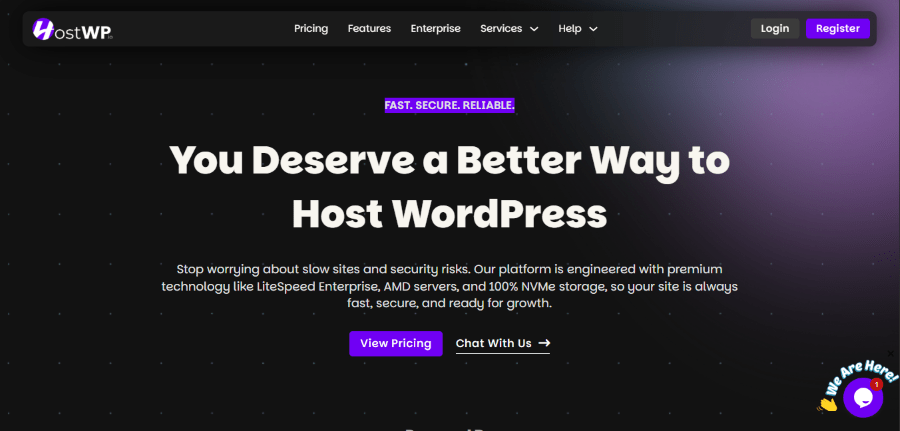
HostWP.io is a managed WordPress hosting platform built specifically for users who want better performance than traditional budget hosts without paying premium enterprise prices. Instead of focusing only on low-cost shared hosting, HostWP is built around a performance-first stack using LiteSpeed Enterprise servers, NVMe storage, Redis object caching, and server-level optimizations designed for WordPress and WooCommerce websites with CDN included.
For WooCommerce stores, this matters more than many beginners realize. Online stores are resource-intensive by nature. Product searches, cart sessions, checkout pages, customer accounts, and dynamic pricing all put additional strain on the server. A basic hosting environment with weak CPU resources, low memory, or poor caching can quickly become a bottleneck as traffic grows. HostWP addresses these common issues by combining optimized hardware with modern software and built-in caching technologies.
Another area where HostWP stands out is simplicity and value. Many hosting providers either charge extra for important features or limit resources aggressively on lower plans. HostWP includes practical essentials such as CDN support, free migrations, business email accounts, SSL certificates, backups, and staging features while keeping pricing predictable. This makes it a strong option for business owners, agencies, freelancers, and WooCommerce store operators looking for performance-focused managed hosting without unnecessary complexity.
Why choose HostWP.io
- LiteSpeed Enterprise web server
- Redis object caching
- NVMe storage
- Free migrations
- Free SSL
- CDN included
- Business email accounts
- Daily backups
WooCommerce stores benefit heavily from LiteSpeed caching, especially for stores with large product catalogs and traffic spikes.
Pricing
- Starter: $9.99/month
- Pro: $19.99/month
- Earlybird: $24.99/month
- Business: $34.99/month
- Agency: $49.99/month
- Premium VPS at $69.99/month-
Promotional first month available for $1 on selected plans.
2. Rocket.net
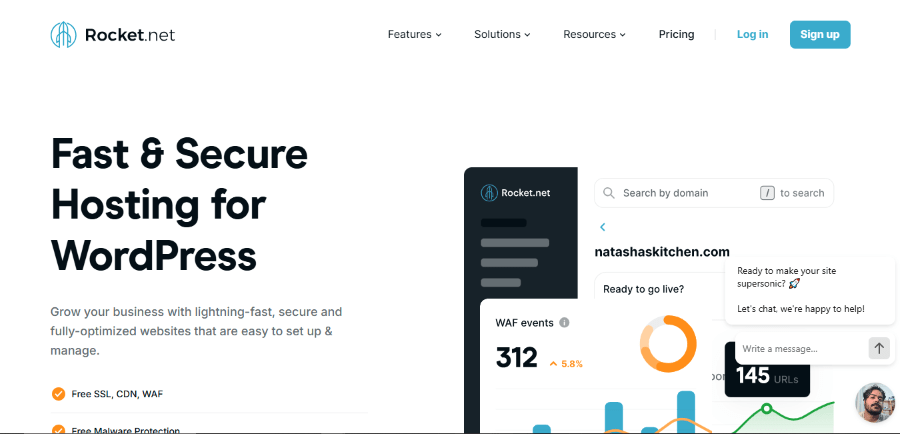
Rocket.net has quickly positioned itself as one of the most performance-focused managed WordPress hosting providers in the market. Unlike traditional hosts that rely heavily on server-side optimizations alone, Rocket.net is built around an edge-first architecture powered by Cloudflare Enterprise. This means much of your website content is cached and delivered closer to your visitors, reducing latency and improving page load times globally.
For WooCommerce stores, this approach is particularly useful. Online stores have to handle product pages, cart sessions, customer logins, and checkout processes simultaneously, which puts more pressure on hosting resources than a typical blog or business website. Rocket.net helps reduce that burden by combining CDN delivery, security, caching, and optimization into a single managed platform.
Another reason Rocket.net stands out is simplicity. Many high-performance hosting stacks require users to configure caching rules, CDN settings, firewall rules, and optimization plugins manually. Rocket.net removes most of that complexity, making it attractive for business owners who want strong performance without becoming server administrators.
Why choose Rocket.net
- Enterprise CDN included
- Cloudflare-powered edge network
- WAF and malware protection
- Automated backups
- Managed caching
- Free migrations
Rocket.net is especially strong for stores with international customers.
Pricing
- Starter: $30/month
- Pro: $60/month
- Business: $100/month
Limitations
- Higher starting price
- Storage can feel limited on lower tiers
3. Kinsta
Get 2 months free on annual plans of Kinsta
No Coupon Req.
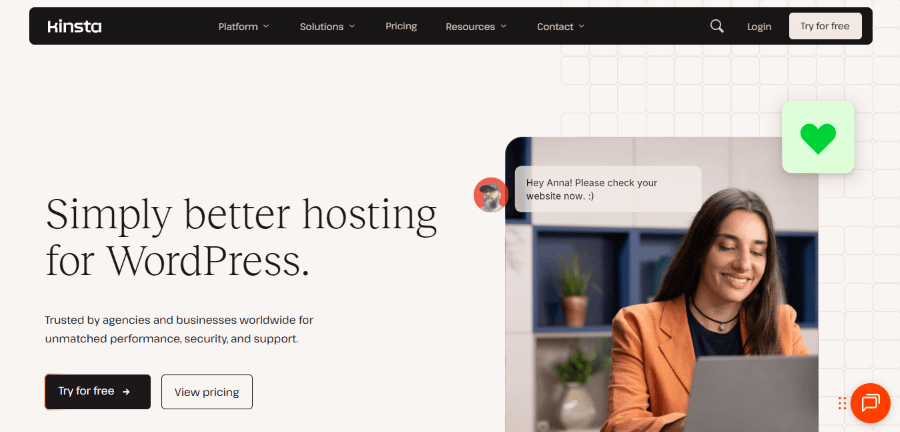
Kinsta is widely recognized as one of the premium managed WordPress hosting providers available today. Built on Google Cloud Platform infrastructure, Kinsta focuses heavily on stability, performance, and managed convenience. Their platform is particularly appealing to businesses that want enterprise-grade infrastructure without handling server management, updates, or optimization manually.
WooCommerce users benefit from Kinsta’s modern stack, which includes built-in CDN services, edge caching, daily backups, and security protections. Since WooCommerce websites often deal with dynamic requests such as carts, product filtering, and account pages, hosting quality becomes much more important than it is for static websites.
What many users appreciate about Kinsta is the overall polish of the platform. Their MyKinsta dashboard is clean, beginner-friendly, and removes much of the technical friction associated with managing WordPress hosting. While Kinsta is positioned at a higher price point, businesses often choose it for reliability, strong support, and a well-optimized ecosystem.
Why choose Kinsta
- Cloudflare integration included
- Edge caching
- Daily backups
- DDoS protection
- Automatic scaling
- Excellent dashboard
Kinsta is a strong fit for businesses wanting premium managed hosting without server headaches.
Pricing
- Starter: $35/month
- Pro: $70/month
- Business plans start higher
Limitations
- Expensive compared to alternatives
- Visit-based pricing may not suit all stores
4. Cloudways
Cloudways takes a slightly different approach compared to traditional managed WordPress hosting providers. Instead of operating its own infrastructure, Cloudways allows users to deploy websites on major cloud providers such as DigitalOcean, Vultr, AWS, and Google Cloud while managing everything through a simplified control panel.
This model gives WooCommerce store owners more flexibility over resources, server locations, and scaling options. If your online store grows and requires more RAM, CPU, or storage, Cloudways makes it relatively easy to scale vertically without migrating to another host.
Cloudways is particularly popular among agencies, freelancers, and store owners who want more infrastructure control than traditional shared hosting but do not want to manage raw cloud servers manually. With CDN integration, backups, staging, Redis, and caching options available, Cloudways strikes a balance between flexibility and convenience.
Why choose Cloudways
- Flexible infrastructure choices
- Staging environments
- Managed backups
- Redis and object cache support
- Team collaboration tools
Cloudways is popular among agencies and developers managing multiple stores.
Pricing
Starts around $11/month depending on provider.
Limitations
- CDN often requires separate activation
- Interface can feel more technical for beginners
5. Pressidium
Get 2 months Free on Pressidium
No Coupon Req.
Pressidium is a premium managed WordPress hosting provider designed for businesses where uptime, reliability, and infrastructure redundancy are critical. Rather than focusing solely on affordability or beginner simplicity, Pressidium targets users who need enterprise-level reliability and a more resilient hosting environment.
Their hosting architecture is built around high availability and redundancy, meaning websites are distributed across multiple systems to reduce the risk of downtime or service disruption. For WooCommerce stores running active campaigns, promotions, or high-volume traffic periods, this kind of reliability can be extremely valuable.
In addition to performance and uptime, Pressidium includes CDN functionality, security protections, backups, and staging environments as part of its managed ecosystem. While it comes at a higher price point, businesses often choose Pressidium when website reliability is a non-negotiable business requirement.
Why choose Pressidium
- High availability architecture
- Edge caching
- Daily backups
- Managed security
- Staging environments
Ideal for businesses where downtime is expensive.
Pricing
Starts around $42/month.
Limitations
- Premium pricing
- Less beginner-focused
6. Rapyd Cloud
Get 10% OFF on Rapyd Cloud
WPDISCOUNTS
Rapyd Cloud is a newer managed WordPress hosting platform that has gained attention for combining modern performance optimization with developer-friendly workflows. The platform is designed to simplify WordPress hosting while still offering features that agencies, freelancers, and growing businesses expect from a premium environment.
WooCommerce store owners benefit from built-in performance tooling such as CDN delivery, caching, backups, and staging environments. This helps reduce the amount of manual optimization typically required when piecing together hosting, CDN, and performance plugins independently.
Rapyd Cloud is particularly appealing to users managing multiple websites or client projects. Its workflow-oriented approach makes it easier to handle development, testing, and deployment without adding unnecessary technical overhead. For agencies looking beyond traditional hosting providers, Rapyd Cloud offers an interesting alternative.
Why choose Rapyd Cloud
- CDN included
- Automated backups
- Staging environments
- Managed security
- Developer-friendly workflows
Rapyd Cloud is particularly useful for agencies managing multiple websites.
Pricing
Pricing varies by plan.
Limitations
- Less mainstream brand recognition
- Smaller ecosystem compared to Kinsta or WP Engine
7. WP Engine
4 Months for free on WP Engine
No Coupon Req.
WP Engine is one of the most established names in managed WordPress hosting and has built a strong reputation among agencies, enterprises, and established businesses. Their platform focuses heavily on performance, security, developer tools, and managed workflows for WordPress websites.
For WooCommerce stores, WP Engine offers infrastructure designed to handle dynamic requests more efficiently than generic shared hosting. Features such as EverCache, CDN support, security monitoring, staging environments, and automated plugin updates make the platform attractive for stores that need both speed and operational stability.
One of WP Engine’s strongest selling points is ecosystem maturity. The company has been serving WordPress users for years and offers a large support infrastructure, extensive documentation, and integrations geared toward professional users. While pricing is higher than beginner hosts, many businesses choose WP Engine for predictability and support quality.
Why choose WP Engine
- Strong WooCommerce optimizations
- Automated plugin updates
- Security monitoring
- CDN support
- Staging environments
Pricing
- Startup: $30/month
- Professional: $55/month
- Growth: $109/month
Limitations
- Higher renewal pricing
- Add-ons can increase costs quickly
8. Hostinger
Get up to 80% OFF on Hostinger
No Coupon Req.
Hostinger has become one of the most popular hosting providers for beginners, small businesses, and budget-conscious website owners. Known primarily for affordability, Hostinger has expanded its WordPress and WooCommerce offerings significantly in recent years by adopting LiteSpeed infrastructure, caching layers, and CDN features on higher-tier plans.
For smaller WooCommerce stores, Hostinger provides a relatively low-cost entry point into managed hosting features that were once only available on premium providers. Users get access to tools such as object caching, automated backups, one-click WordPress installations, SSL certificates, and CDN functionality on eligible plans.
Hostinger is particularly attractive to first-time store owners who want a simple onboarding experience and predictable pricing. While it is not designed for very large WooCommerce stores with complex infrastructure requirements, it remains a practical option for businesses starting their eCommerce journey.
Why choose Hostinger
- Affordable pricing
- LiteSpeed servers
- Object cache
- Free domain
- Free SSL
- CDN on higher plans
Good starting point for smaller stores with limited budgets.
Pricing
- Business: $2.99/month
- Cloud Startup: $7.99/month
Limitations
- Lower-tier plans have fewer resources
- Not ideal for large WooCommerce stores
How to Choose the Right WooCommerce Host with CDN
Not every WooCommerce store needs the same hosting.
Choose based on your business stage:
Small stores or beginners
Best options:
- Hostinger
- HostWP.io Starter/Pro
Growing stores
Best options:
- HostWP.io Business
- Cloudways
- Kinsta
High traffic stores
Best options:
- Rocket.net
- Pressidium
- WP Engine
Agencies managing multiple stores
Best options:
- HostWP.io Agency
- Rapyd Cloud
- Cloudways
Also consider:
- Customer geography
- Product catalog size
- Traffic patterns
- Budget
- Technical expertise
If your customers are global, CDN becomes far more important.
Why CDN Matters for WooCommerce
WooCommerce stores serve:
- Product images
- JavaScript
- CSS
- Fonts
- Assets across multiple pages
Without CDN:
- slower global loading
- more server load
- poorer Core Web Vitals
With CDN:
- lower latency
- faster asset delivery
- better page speed scores
- improved user experience
This is especially useful during:
- promotions
- seasonal sales
- Black Friday
- flash deals
Final Verdict
Choosing the right WooCommerce host is not just about finding the cheapest plan.
Your hosting directly affects:
- store speed
- SEO performance
- checkout conversions
- customer trust
If you want the best balance of WooCommerce performance and affordability, HostWP.io is a strong option for LiteSpeed users looking for a managed stack with CDN, Redis, NVMe, and WooCommerce-friendly resources.
If budget is less of a concern and performance is the top priority, Rocket.net and Kinsta remain excellent premium choices.
For agencies and flexible cloud deployments, Cloudways and Rapyd Cloud are worth serious consideration.
A fast WooCommerce store is easier to rank, easier to scale, and far less frustrating for your customers.
Investing in hosting with CDN included simplifies your stack and removes one more layer of optimization work from your plate.
Frequently Asked Questions
Does WooCommerce really need a CDN?
Yes. WooCommerce stores usually have heavier assets and more visitors across product pages, making CDN highly beneficial.
Is CDN included in all hosting plans?
No. Some hosts only include CDN on higher-tier or business plans.
Which hosting is best for WooCommerce beginners?
Hostinger and HostWP.io are both beginner-friendly options with affordable entry pricing.
Which WooCommerce host is fastest?
Rocket.net and HostWP.io are strong performance-focused options, depending on your budget and preferred stack.