If you run a WordPress site, chances are you already love the idea of centralization. Your content, users, e-commerce, and analytics all live under one roof. So why should your project management tool force you to log into a separate tab, remember another password, and constantly context-switch between your WordPress dashboard and an external app?
Trello has been the go-to Kanban tool for millions, and for good reason. It’s intuitive, visually clean, and gets out of your way. But for WordPress developers, agencies, and content teams, the friction of bouncing between platforms eventually adds up. Add in scaling costs, data sovereignty concerns, or the simple desire to keep client work tied directly to WordPress user roles, and the search for a Trello alternative becomes less of a luxury and more of a practical necessity.
In this guide, we’ll explore the best Trello alternatives that either live natively inside WordPress or integrate so seamlessly that you’ll barely notice the boundary. We’ll break down what actually matters when choosing, compare top contenders with verified pricing, and walk through how to migrate without losing your mind.
Why WordPress Users Are Moving Away from Trello
Before diving into tools, it’s worth understanding why the shift is happening. Trello isn’t broken, but it’s also not optimized for WordPress-centric workflows.
Context switching kills momentum. Every time you tab over to Trello to check a task, update a status, or attach a file, you interrupt your creative or technical flow. For teams managing content calendars, plugin development, or client site builds, that friction compounds quickly.
Costs scale unpredictably. Trello’s free tier is generous for individuals, but once you need advanced automation, custom fields, or admin controls, you’re looking at per-user pricing that can balloon for small agencies or growing teams.
Data lives off-site. If you’re handling sensitive client projects, compliance-heavy content, or proprietary workflows, keeping everything self-hosted inside your WordPress installation offers peace of mind. You control backups, access logs, and retention policies.
WordPress-specific features are missing. Trello doesn’t natively understand posts, pages, custom post types, WooCommerce orders, or WordPress user roles. You end up manually copying links, tagging authors, or building workarounds that defeat the purpose of using a streamlined tool in the first place.
None of this means Trello is obsolete. It simply means that if your work revolves around WordPress, there are better-fitting options available.
What to Look for in a WordPress-Friendly Alternative
Not every project management tool deserves a seat in your WordPress stack. Here’s what actually matters:
- Native dashboard access or deep integration: Can you access it without leaving /wp-admin? If it’s external, does it offer a reliable WordPress plugin, REST API hook, or webhook setup that syncs data bidirectionally?
- Familiar views: Kanban boards are Trello’s hallmark, but list, calendar, timeline, and table views help different team members work how they think.
- Role-based permissions that mirror WordPress: If your site already uses roles like Editor, Contributor, Client, or Administrator, your task tool should respect those boundaries.
- Attachment & linking workflow: Can you drag-and-drop screenshots, link directly to WP posts, or attach form submissions without third-party glue?
- Transparent pricing: Avoid tools that hide essential features behind enterprise tiers or charge per seat when you only need five active users.
- Migration path: If you’ve spent years building Trello boards, the alternative should offer CSV import, label mapping, or a straightforward manual setup guide.
With those criteria in mind, let’s look at the tools that consistently deliver for WordPress teams.
Top Trello Alternatives That Play Well with WordPress
1. FluentBoards
Get 20% OFF on FluentBoards
WPdiscounts
Fluent Boards is developed by WPManageNinja, a respected WordPress software company that has spent nearly a decade empowering small businesses across 194 countries with high-performance plugins. The company has built a strong reputation for creating lightweight, user-focused tools that prioritize self-hosted data control, seamless WordPress integration, and transparent pricing without hidden growth taxes.
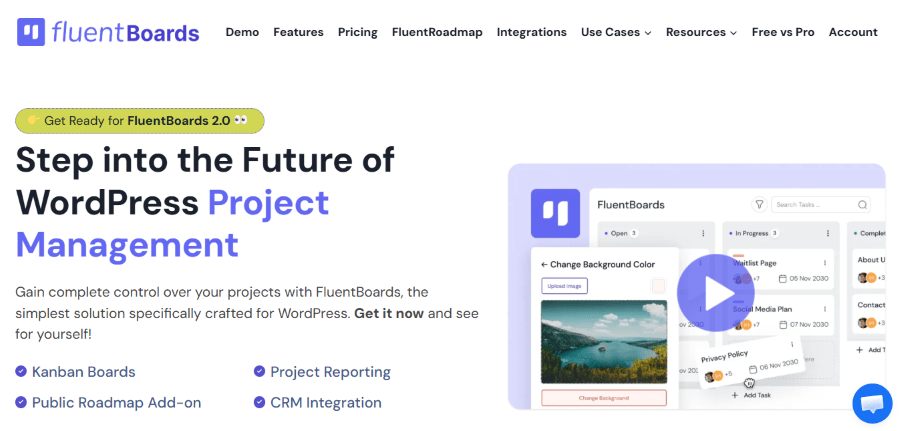
Fluent Boards is a native WordPress project management plugin designed to bring a fast, intuitive Kanban experience directly into your dashboard. It eliminates external dependencies by storing all data within your WordPress installation while offering multiple workflow views, time tracking, and client-facing portals. The plugin is built specifically for WordPress administrators who want to manage tasks, collaborate with teams, and track project progress without leaving the familiar wp-admin environment.
Key Features
- Native WordPress dashboard integration with zero external server dependencies
- Four workflow views: Kanban, List, Calendar, and Table for flexible visualization
- WordPress user role synchronization with granular permission controls
- Built-in time tracking with detailed reporting and exportable dashboards
- Custom fields, colorful labels, and priority tagging for task organization
- File sharing stored directly in your WordPress media library
- Recurring tasks, task templates, and cloning for repetitive workflows
- Frontend client portal for stakeholder collaboration without backend access
- REST API support and webhook integrations for custom development
- GDPR-compliant architecture with optional external storage (S3, Cloudflare R2, etc.)
Pricing
- Free Version: Fully functional core plugin available on WordPress.org
- Single Site License: $149/year or $399 lifetime
- Agency License (5 Sites): $349/year or $799 lifetime
- Unlimited Sites License: $699/year or $1,599 lifetime
- All paid plans include: One year of premium support, automatic updates, and access to all Pro features
- Lifetime licenses include: Lifetime updates and priority support with no recurring fees
2. WP Project Manager Pro
WP Project Manager is developed by weDevs, the same WordPress software company that has delivered trusted plugins to the ecosystem for over a decade. The team specializes in building comprehensive, client-ready solutions for agencies and growing WordPress teams, with a focus on scalable architecture and transparent licensing.
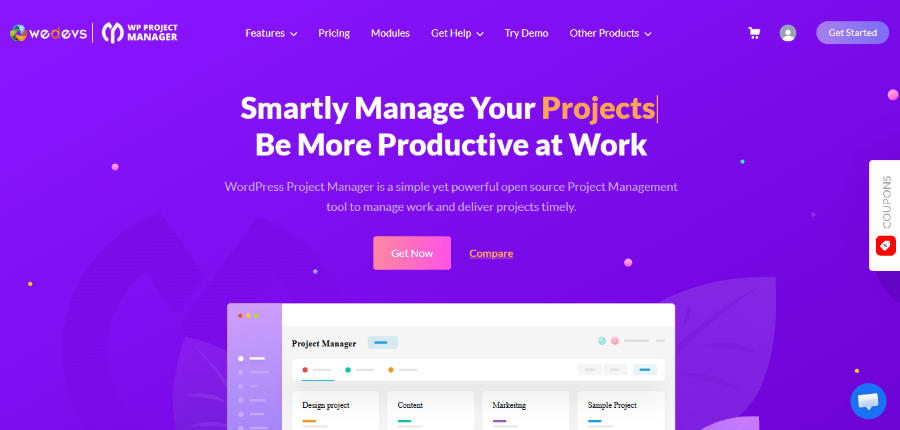
WP Project Manager Pro is a full-featured project management plugin engineered for agencies and client-facing teams that require structured project oversight, milestone tracking, and transparent communication channels. It combines multiple project views—including Kanban, list, calendar, and Gantt charts—with built-in time tracking, task dependencies, and a dedicated client portal that restricts backend access while keeping stakeholders informed. The plugin also supports WooCommerce and form integrations through official extensions.
Key Features
- Multiple project views: Kanban board, list, calendar, and Gantt chart
- Built-in time tracking with reporting and invoice-ready exports
- Task dependencies, subtasks, and milestone tracking for complex projects
- Dedicated client portal with restricted access for stakeholder collaboration
- WooCommerce order integration for tying projects to e-commerce workflows
- Custom fields, advanced filters, and category-based permissions
- BuddyPress integration for community-driven project collaboration
- AI-assisted project creation to accelerate setup for new initiatives
- Real-time updates and discussion forums attached to tasks and milestones
Pricing
- Always Free Plan: Core project management features at no cost
- 1 Domain: $79/year or $395 lifetime
- 5 Domain: $149/year or $745 lifetime
- 10 Domain: $249/year or $1245 lifetime
- All paid plans include: One year of updates and premium support
- Renewal options: Discounted rates available after the first year
3. ClickUp
ClickUp is developed by ClickUp Inc., a productivity platform founded in 2017 with the goal of consolidating work into a single, highly customizable workspace. The company has grown rapidly by focusing on flexibility, automation, and deep integrations across the modern tech stack, serving teams of all sizes from startups to enterprise organizations.
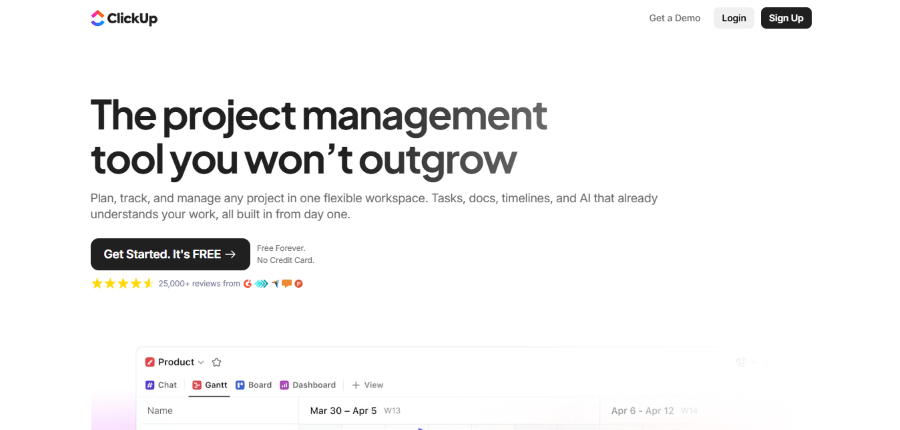
ClickUp is a comprehensive work management platform that offers every view imaginable—including Kanban, list, calendar, timeline, Gantt, mind map, and whiteboard—alongside powerful automation, native time tracking, and AI-powered features. While not a native WordPress plugin, ClickUp’s official WordPress connector and extensive API enable bidirectional sync with posts, pages, and custom post types, allowing teams to trigger WordPress actions from task completions and manage complex editorial pipelines without duplicating effort across multiple dashboards.
Key Features
- Every view imaginable: Kanban, list, calendar, timeline, Gantt, mind map, and whiteboard
- Official WordPress connector for bidirectional sync with posts, pages, and custom post types
- Powerful automation engine that triggers WordPress actions from task completions
- Native time tracking, workload management, and resource allocation tools
- Unlimited storage, custom fields, and integrations on paid plans
- AI-powered features including meeting notes, task suggestions, and content generation
- Guest access with permission controls for client collaboration
- Advanced reporting dashboards and portfolio-level oversight
Pricing
- Free Forever Plan: Unlimited tasks and members, 100MB storage, basic views
4. Asana
Asana is developed by Asana, Inc., a work management platform founded in 2008 to help teams coordinate without endless email chains. The company has become a staple for marketing, content, and operations teams seeking structured workflow visibility, with a focus on intuitive design, robust reporting, and enterprise-grade security.
Asana is a flexible work management platform that offers board, timeline, calendar, and list views optimized for editorial and project pipelines. While it doesn’t rely on a monolithic WordPress plugin, Asana leverages its developer-friendly API and native integrations with automation platforms like Uncanny Automator, Zapier, and Make to create seamless editorial workflows. Content teams use it to map post lifecycles from ideation to publication, attaching WordPress post URLs, tracking SEO review status, and routing approvals through custom fields and rule-based workflows.
Key Features
- Board, timeline, calendar, and list views optimized for editorial and project pipelines
- Custom fields for tracking SEO status, publication dates, and approval stages
- Approval workflows that can map to WordPress post statuses via automation
- Reporting dashboards with portfolio-level insights for leadership teams
- AI Studio integration for task suggestions, summarization, and workflow optimization
- Unlimited free plan members with core task and project management features
- Advanced permissions, SAML authentication, and audit logs on Enterprise tiers
- Native integrations with Slack, Google Drive, and automation platforms like Zapier
Pricing
- Personal (Free) Plan: Unlimited tasks, projects, and messages for up to 2 users
- Starter Plan: $10.99/user/month (billed annually) or $13.49/user/month (billed monthly)
- Timeline view, custom fields, unlimited dashboards, advanced search
- Advanced Plan: $24.99/user/month (billed annually) or $30.49/user/month (billed monthly)
- Portfolios, custom rules, forms builder, proofing, resource management
- Enterprise Plan: Custom pricing with advanced security, SAML, data export, and dedicated support
- Add-ons: Timesheets and Budgets at $5.99/user/month; AI features included in paid tiers with usage credits
- All paid plans include: Unlimited free team members, priority support, and admin console access
How to Choose Without Getting Paralyzed
It’s easy to fall into feature comparison paralysis. Instead of asking “Which tool has the most?” ask “Which tool matches how we actually work?”
Run a quick audit:
- List your top 5 daily tasks. Are you moving cards, chasing approvals, tracking hours, or linking to WP posts?
- Identify your team’s technical comfort level. Will everyone log into a new SaaS platform, or do they need everything in /wp-admin?
- Check your hosting constraints. If you’re on shared hosting with strict resource limits, a heavy plugin might slow things down. Lightweight options or external SaaS tools will perform better.
- Test on a staging site. Never install a project management plugin on a live production environment first. Create a staging copy, import a sample board, and run a week-long simulation with your actual team.
Migrating From Trello: A Practical Roadmap
Leaving Trello doesn’t have to mean starting from scratch. Most alternatives support CSV or JSON imports, but here’s how to do it cleanly:
- Export your Trello data. Go to Board Settings → More → Print & Export → Export as JSON. Save it locally.
- Map labels and lists. Trello’s “Lists” become your board columns. Labels become custom tags or categories in your new tool. Recreate these first.
- Use import templates. Most WP plugins provide a CSV template. Convert your Trello JSON to CSV using a free converter, then map columns (Title, Description, Assignee, Due Date, Labels).
- Attach files separately. Trello attachments don’t always transfer cleanly. Download them in bulk, upload to your WordPress media library, and re-link if necessary.
- Run a parallel week. Keep Trello active for 5–7 days while your team uses the new tool. Compare what slips through the cracks. Adjust permissions or workflows before fully switching over.
- Archive, don’t delete. Export your Trello board one final time and store it securely. You’ll thank yourself if you need to reference historical decisions or client approvals.
Final Thoughts
The best Trello alternative for WordPress isn’t the one with the slickest marketing page. It’s the one that disappears into your workflow. For some, that means a lightweight Kanban plugin that lives right in the dashboard. For others, it’s a SaaS platform that syncs so smoothly you forget it’s external.
WordPress has evolved from a blogging platform into a full-fledged application framework. Your project management tools should reflect that maturity. Whether you choose Fluent Boards for its native simplicity, WP Project Manager for client transparency, or ClickUp for automation-heavy scaling, the goal remains the same: spend less time managing tools and more time doing the work.
Take a weekend. Test one option with your staging site. Involve your team in the decision. And remember, you don’t need to find the perfect tool forever. You just need a better fit for where you are right now. WordPress gives you the flexibility to switch when your needs change. Use it wisely.