
One of the key ways to improve loading speed and Core Web Vitals on a WP site is to optimize images. Indeed, most of the data downloaded by Internet users’ browsers is actually images. It is therefore essential to optimize this type of file as much as possible. The two main things to optimize the images of a WordPress site are:
- Compress images to reduce their weight.
- To have responsive images depending on the type of screen and its size
Having a fast website is super important today. The most significant problem slowing your website isn’t complicated code; it’s big, heavy pictures. Your product photos, blog post images, and visual files are often the heaviest thing on any webpage. They slow down loading times and hurt your Google search ranking.
This is why you need image compression plugins. They are special tools that automatically shrink your pictures, resize them to the right size, and convert them to faster file formats. There are three main options: EWWW Image Optimizer, ShortPixel, and Imagify. We need to figure out which one is best for your website, especially if you are using a super-fast service like Managed LiteSpeed Hosting.
We will give you the clear facts you need to choose the right tool and keep your WordPress site running perfectly.
The Problem with Big Images and the Solution for Speed
Pictures and images can easily be more than half the total size of a webpage. When someone visits your site, their web browser has to download all those picture files. If those files are large images or original images taken straight from a camera, the website loads slowly.
This makes people mad; they leave your site quickly (high bounce rates), and Google gives your site a low score (poor Core Web Vitals). If you run a busy site, like a store (WooCommerce) or an online school (LMS Hosting), every second is essential for sales and keeping students happy.
The solution is to optimize images without compromising on the quality. This means using an image optimizer plugin or a compression plugin for your website. A good image optimization plugin will compress images by reducing the per image file size without losing the visible quality. It gives you control over the compression level and also converts your media to a new image format (like WebP or AVIF).
The best plugins for WordPress handle the number of images you have and the type of compression used. By using a powerful WordPress plugin to optimize your images, the speed of your fast hosting, like LiteSpeed Enterprise Hosting, has more power to deliver your website content quickly. We’ll even look at some free plugin options.
Here is a fact-based look at EWWW, ShortPixel, and Imagify.
Comparing WordPress Best Image Optimization Plugins
To help you decide quickly, here’s a snapshot of how the three top WordPress image optimization plugins compare:
| Feature | EWWW Image Optimizer | ShortPixel | Imagify |
| Pricing | Start from $8/year | Start from $8.33/month (Billed yearly) | Start from $9.99/month (Billed yearly) |
| How You Pay | Based on Internet Bandwidth/Number of Sites | Image Credits (Pay as you go or Monthly) | Picture File Size (Monthly MB Limit) |
| Free Version | Unlimited Shrinking with no loss of quality (Done on your server) | 100 Credits every month (Done on their cloud) | 20 MB every month (Done on their cloud) |
| Where it Shrinks | On your server (Free) or EWWW Cloud/CDN (Paid) | Dedicated Cloud Service | Dedicated Cloud Service |
| Shrinking Power | No Loss (Free), Strong Shrinking (Paid) | Strong, Medium, No Loss | No Loss, Strong, Ultra (Max Shrinking) |
| New, Faster Formats | WebP & AVIF (using their Easy IO CDN) | Creates and Delivers WebP & AVIF | Creates and Delivers WebP & AVIF |
| Special Feature | Includes a full-speed plugin called SWIS | Can also shrink PDF files, credits never expire | Smart Shrinking (Automatically finds the best quality/size mix) |
1. EWWW Image Optimizer (EWWW IO)
Starts at $8/month, with a free version available.
FOUND15
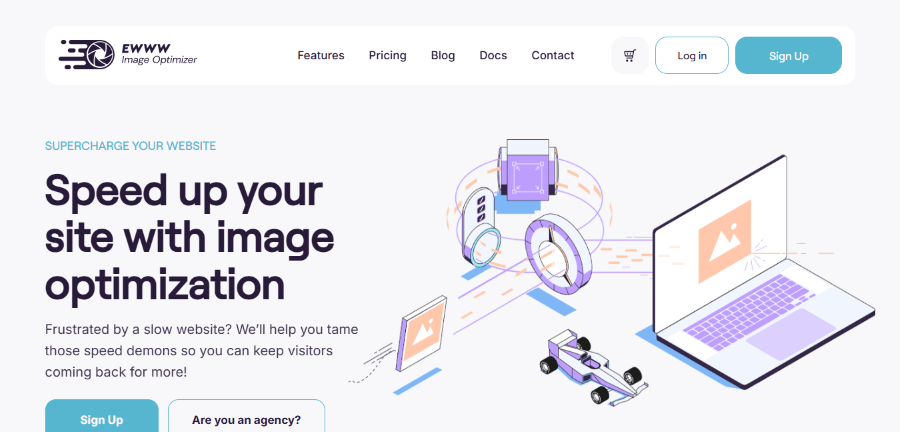
The EWWW Image Optimizer plugin is famous within the WordPress community for its unique capability: it can perform free, unlimited, lossless compression locally on your web host’s server, provided your host allows it. This is a significant distinction from most competing plugins, which rely solely on their external cloud servers for processing. This local option makes EWWW a popular free plugin choice, as it doesn’t immediately impose limits on the number of images you can optimize.
EWWW IO Key Features
- Flexible Shrinking: It offers free shrinking with no loss of quality. It also has a powerful shrinking that can reduce the size by up to 80%.
- On Your Server or Cloud: The free shrinking runs on your web host. This is helpful for big jobs like shrinking a huge library on a powerful server. The paid features use EWWW’s cloud service.
- Automatic WebP/AVIF: It includes “Easy IO,” a Content Delivery Network (CDN) that automatically changes your pictures to the faster WebP and AVIF formats and helps them load faster.
- Bulk Shrinking: It can shrink pictures in your main Media Library, your theme files, and other places where plugins store images.
- SWIS Performance Plugin: Paid plans often include the SWIS plugin, which adds additional speed tools such as caching and code optimization.
EWWW IO Pricing Structure
Free Version: Unlimited, free, lossless compression (local server).
Premium Plans: Starts at $8/month (billed monthly) or $80/year. Includes enhanced compression, CDN, and other performance features. These plans operate on an unlimited image model with bandwidth limits.
2. ShortPixel Image Optimizer
Starts at $8.33/month, with a free version available.
No Coupon Req.
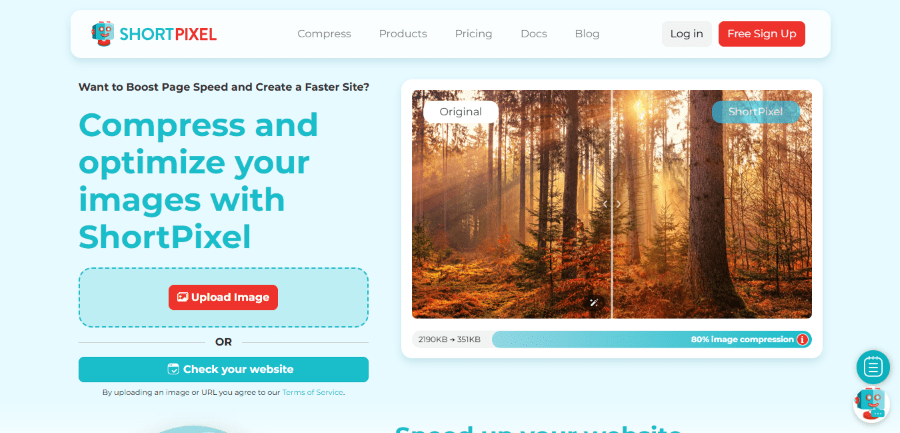
ShortPixel is a lightweight and powerful image optimization plugin that operates exclusively through its specialized cloud infrastructure. This approach means the heavy lifting of compression is performed off-server, protecting your WordPress hosting resources from the strain, which is beneficial for users on shared hosting or those who want to ensure peak performance. ShortPixel has built a reputation for delivering some of the most impressive size reductions through its various compression modes.
ShortPixel Key Features
- Cloud Shrinking: All the work happens away from your website. This means it uses none of your Host WordPress server’s power. This is perfect for basic or cheaper hosting plans.
- Three Shrinking Choices: You can choose Strong Shrinking (most file size reduction), Medium Shrinking (a little quality loss, but looks almost perfect), and No Loss (zero quality change).
- PDF Shrinking: A special feature is that it can shrink PDF documents in addition to pictures.
- Smart Cropping: It has smart tools for creating good-looking smaller pictures (thumbnails) and automatically resizing big pictures when you upload them.
- Credit Flexibility: You can buy packages of credits that never go away. This is perfect if you only need to do one big shrinking job or if you don’t upload pictures very often.
ShortPixel Pricing Structure
Free Version: 100 free credits per month (enough for approximately 100 images and their thumbnails).
Premium Plans: Starts at $9.99/month or $8.33/month (Billed yearly). Includes unlimited credits/month, unlimited websites, 100 AI credits/month, and 500GB CDN traffic/month.
Lifetime Plans: There are two lifetime plans for ShortPixels, starting from $19.99 to $29.99.
3. Imagify
Starts at $9.99/month, with a free version available.
No Coupon Req.
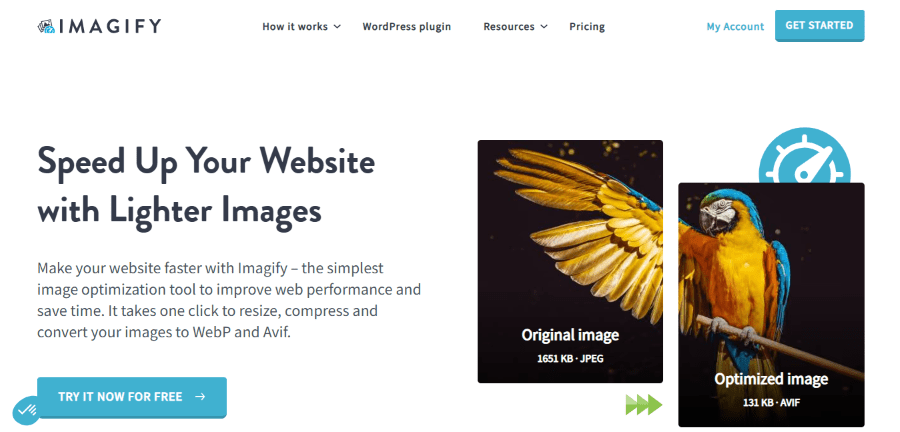
Imagify is developed by the team behind the popular caching plugin, WP Rocket, and shares the same philosophy: maximum performance improvement with minimal configuration complexity. This WordPress plugin is widely regarded as one of the most user-friendly image optimization plugins, featuring a clean, intuitive interface that makes it incredibly easy for users to compress images and start boosting site speed. Like ShortPixel, Imagify is a cloud-based service, ensuring the compression process does not strain your WordPress hosting environment’s resources.
Imagify Key Features
- Three Shrinking Levels: Normal (no quality loss), Aggressive (strong shrinking), and Ultra (maximum file reduction).
- Smart Compression: It automatically finds the best shrinking level for each picture, trying to balance the small file size with the picture’s look. This saves you time.
- Good Builders: Because it’s part of the WP Media family, Imagify is built with a lot of knowledge about what WordPress sites need, so it works well with other speed tools.
- Bulk Shrinking: You can shrink your entire existing picture library with one click, and it handles all new pictures automatically.
- WebP and AVIF Conversion: It automatically changes your pictures to these better formats and sends them to visitors using modern browsers.
Imagify Pricing Structure
Free Version: Approx. 200 images/month, unlimited websites, max upload size: 2MB/image
Premium Plans: Starts at $11.99/month or $9.99/month (Billed yearly). Includes Approx. 5,000 images/month, unlimited websites, $5 per additional GB, and unlimited upload size.
EWWW vs ShortPixel
When we compare EWWW IO and ShortPixel, the main difference is how they use your server’s power and how they handle “unlimited” usage.
ShortPixel is the best choice for users who need a lot of options and want all the hard work done on the cloud. Its credit system is perfect for people who don’t upload pictures on a regular schedule (for example, a one-time cleaning of an old, heavy Enterprise WordPress Hosting site). The $9.99 Unlimited plan is simple for agencies that manage many websites.
EWWW IO, on the other hand, is great if you already have a powerful server, maybe one of HostWP.io’s LiteSpeed WordPress Hosting plans. You can use that power for free shrinking with no quality loss. If you pay for EWWW’s Easy IO CDN, you get a huge amount of data delivery bandwidth. EWWW IO gives you more speed tools (with SWIS), while ShortPixel focuses on being the best at picture shrinking.
EWWW vs Imagify
The main difference between EWWW IO and Imagify is what they offer for free and how their paid plans increase.
Imagify is the most simple to use and reliable cloud option for new users, thanks to its Smart Compression and clean design (from the WP Rocket team). Its free 20MB limit is small but works for a hobby blogger posting a few times a month. Their paid plans have simple, predictable pricing based on file size, making it easy to plan your budget.
EWWW IO’s free plan offers truly unlimited shrinking with no quality loss. This is a big advantage if you want to save money and are okay with the shrinking running on your server. If you upgrade EWWW IO, you get a full CDN included, which Imagify doesn’t offer by itself. For users who want one plugin that does both CDN and picture shrinking, EWWW IO is the stronger technical option.
Conclusion: Which Plugin Fits Your LiteSpeed Hosting Workflow?
Choosing the best picture shrinker is about matching its features to your website’s needs and how you work.
| Your Situation | Recommended Plugin | Reason Why |
| You have a small blog and want free, great shrinking on a powerful server. | EWWW IO | Unlimited shrinking with no quality loss on your own server for free. |
| You have a high-traffic site or manage many sites and need unlimited shrinking capacity. | EWWW IO or ShortPixel or Imagify | Both offer a simple $9.99/month unlimited plan, making it easy to budget. |
| You want a plugin that is super easy to use, looks great, and has automated Smart shrinking. | EWWW IO or Imagify | Simple, clean, and built by the WP Rocket team. |
| You need to shrink PDF files, use a credit system, or have a cheaper host with limited power. | ShortPixel | More options with one-time credits, and all shrinking is done on their cloud. |
No matter which plugin you pick, your picture files will be smaller, making your website immediately faster. When those smaller files are sent from LiteSpeed Enterprise Hosting with HostWP.io, your site gets maximum speed.
Frequently Asked Questions (FAQs)
Q: Does picture shrinking replace the need for caching?
No, they work together. Picture shrinking (plugins like EWWW, ShortPixel, or Imagify) makes your pictures smaller before they are sent. Caching (like LiteSpeed Cache, which comes with our Managed LiteSpeed Hosting) makes sure the smaller, shrunk pictures are sent instantly without having to process the page again.
Q: Is shrinking with no quality loss really “unlimited” on EWWW IO?
Yes, the basic shrinking that happens on your server is unlimited for the main plugin. This process uses your web server’s CPU (brain power), which is why having high-performance hosting is helpful. For the best, strongest shrinking, you need to pay for a plan.
Q: Why do ShortPixel and Imagify shrink pictures on their cloud instead of my server?
They use their cloud to make sure the process is fast and doesn’t use up your server’s power or memory. This prevents your live website from slowing down, especially during big jobs like shrinking your entire picture library. This is important for many basic Host WordPress hosting plans.
Q: Can I use ShortPixel or Imagify for my old pictures?
Absolutely. All three plugins have a powerful “Bulk Shrinking” feature that looks at your entire picture library and shrinks every image file and all its smaller sizes (thumbnails).