

A WordPress website can report that an email was sent without proving that the message actually reached its recipient. WordPress itself states that a successful return from its wp_mail() function only indicates that the request was processed without an error. It does not confirm successful delivery.
That distinction matters for websites that depend on email. Contact form messages, password resets, order notifications, account emails, and other automated messages often need to reach the right inbox at the right time. An SMTP plugin changes how WordPress handles these messages by connecting the site to an SMTP server or email delivery service, rather than relying solely on the site’s default mail setup.
The SMTP Plugins can also do more than send email. Depending on the plugin, you may get email logs, delivery reports, backup connections, failure alerts, provider integrations, and tools for diagnosing problems. These features can be useful for business websites where missing an email can mean missing a customer inquiry or an important website notification.
We look at the Top SMTP Plugins for WordPress and explain what each one offers, how much it costs, and what type of WordPress user should consider it. The goal is not simply to list plugins, but to help you choose an option that fits the way your website sends email.
Best SMTP Plugins
1. GoSMTP
GoSMTP is a WordPress SMTP and PHP Mailer plugin that gives website owners more control over how their WordPress emails are sent. Instead of relying entirely on a web host’s mail system, GoSMTP lets you connect your site to an SMTP provider or a supported email service.
The plugin supports a broad selection of mail services, including Gmail and Google Workspace, Amazon SES, Microsoft 365 and Outlook, SMTP.com, Zoho, Brevo, Mailgun, Postmark, SendGrid, SparkPost, SendLayer, Resend, Maileroo, and other SMTP services. This gives website owners the freedom to choose a provider based on their existing setup, email requirements, or budget.
GoSMTP is particularly useful when simply sending an email is not enough. Its paid plans add email logs, reports, tracking, secondary connections, smart routing, and failure alerts. Smart Routing can direct different messages through different connections based on conditions such as the subject, message, sender, recipient, CC, BCC, reply-to address, or email headers.
GoSMTP Key Features
- Email Logs: GoSMTP records emails sent through the plugin, giving site owners a place to review sent messages.
- Email Reports: The plugin provides reports that help users review email tracking and deliverability information.
- Open and Click Tracking: Users can view open and click-through activity for supported WordPress emails.
- Resend Emails: Failed messages can be resent from the email logs, which can be useful when an important notification does not go through.
- Secondary Connections: GoSMTP allows multiple email providers to be configured so another connection can be used when the primary provider is unavailable.
- Smart Routing: Users can create rules to route specific emails through different providers. Conditions can be based on message details, including the subject, message content, sender, recipient, and headers. Multiple conditions can also be combined with AND and OR rules.
- Failure Alerts: The plugin can notify users when an email fails to send.
- Weekly Summaries: GoSMTP provides weekly email delivery updates through the dashboard or inbox.
- Expert Setup: Customers can have the GoSMTP support team install and configure the plugin for them.
- Multiple Mailer Integrations: GoSMTP supports services such as Gmail, Google Workspace, Amazon SES, Microsoft 365, Outlook, Zoho, Brevo, SendLayer, Mailgun, Postmark, SendGrid, SparkPost, Elastic Email, SMTP2Go, Maileroo, Resend, and other SMTP providers. Some integrations are available only with paid plans.
GoSMTP Pricing
GoSMTP offers a free plan and three paid annual plans. The current pricing listed on its official website is:
- Free: $0 per year. The free plan provides connections to services including SendLayer, SMTP.com, Brevo, Mailgun, Postmark, SendGrid, SparkPost, Maileroo, and other SMTP services.
- Personal: $39 per year for 1 site. It adds email logs, email reports, email tracking, secondary connections, smart routing, failure alerts, multiple mailer integrations, one year of updates, and one year of support.
- Professional: $75 per year for 5 sites. It includes the same main feature set as Personal but increases the site limit to 5.
- Business: $200 per year for 100 sites (own sites only). It includes advanced email management features, multiple connections, smart routing, failure alerts, support for multiple mailers, and one year of updates and support.
HostWP users can get the GoSMTP Pro version for free, giving them access to the premium features without paying the regular Pro license price. This offer can be particularly useful for HostWP customers who want advanced SMTP features without adding another plugin subscription to their website costs.
GoSMTP Pros and Cons
Pros
- Free plan available
- Supports many SMTP and email service providers
- Email logs and reports are available on paid plans
- Supports secondary connections
- Smart Routing can direct different emails through different providers
- Failure alerts help identify sending problems
- Expert setup is available
- Higher plans support multiple websites
Cons
- Several of the more advanced features require a paid plan
- The Business plan is limited to the customer’s own sites
- Users still need an account with an SMTP or email service provider for sending through those services
2. FluentSMTP
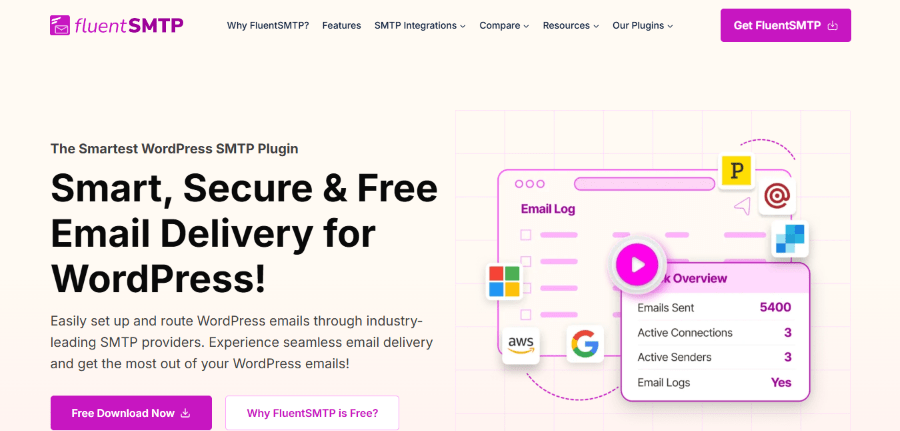
The plugin, developed by WPManageNinja, focuses on email delivery, logging, multiple connections, and troubleshooting, and it is free for its core features. One of the main reasons to consider FluentSMTP is its support for multiple email providers. You can connect services such as Amazon SES, Gmail, Google Workspace, Microsoft 365, Outlook, SendGrid, Mailgun, Postmark, Brevo, Elastic Email, SMTP2GO, and other SMTP servers. This makes it useful for businesses that already have an email provider or want to move away from their hosting company’s default mail system.
FluentSMTP also provides tools for monitoring WordPress emails after they have been sent. Its email logging system can record outgoing messages, while reporting tools help users review delivery activity. You can also configure multiple connections and use a fallback connection if the primary email service has an issue.
FluentSMTP Key Features
- Multiple Email Connections: FluentSMTP lets users configure multiple email connections within the same WordPress website. This can be useful when different types of emails need to use different providers.
- Fallback Connection: A backup email connection can be configured so that another provider can handle email delivery if the primary connection fails.
- Email Logging: FluentSMTP records sent emails so users can review email activity directly from the WordPress dashboard.
- Email Reporting: The plugin includes reporting tools that help website owners review email delivery activity over time.
- Resend Emails: Users can resend emails from the email logs when a message needs to be sent again.
- Email Provider Integrations: FluentSMTP supports several popular email delivery services and SMTP servers, including Amazon SES, Gmail, Google Workspace, Microsoft 365, Outlook, SendGrid, Mailgun, Postmark, Brevo, Elastic Email, and SMTP2GO.
- Email Delivery Test: Users can send test emails from the FluentSMTP settings to check whether their connection is configured correctly.
- Debugging: FluentSMTP includes tools that help users identify problems with their email configuration and delivery setup.
- Email Routing: Multiple connections can be used to route different types of emails through different email services. This gives website owners greater control over their WordPress email system.
- No Paid Pro Version: FluentSMTP provides its core SMTP connections, email logging, reporting, multiple connections, and fallback features without requiring a paid license.
FluentSMTP Pricing
FluentSMTP is free. The plugin’s SMTP connections, email logs, multiple connections, fallback connection, email reporting, and other core features are available without a paid plan.
There is therefore no monthly or yearly FluentSMTP license fee to add to the cost of running a WordPress website. However, if you connect FluentSMTP to a third-party email delivery provider, that provider may have its own pricing and sending limits.
FluentSMTP Pros and Cons
Pros
- Free to use
- Supports multiple SMTP and email delivery services
- Email logging is included
- Supports multiple connections
- Includes a fallback connection
- Provides email reporting
- Allows users to resend emails
- Includes email testing and debugging tools
- Useful for websites that want to avoid relying solely on hosting email
Cons
- The quality and limits of email delivery still depend on the connected provider
- Users need to configure an external SMTP or email service
- Some advanced provider services may require separate accounts or paid plans
3. Post SMTP
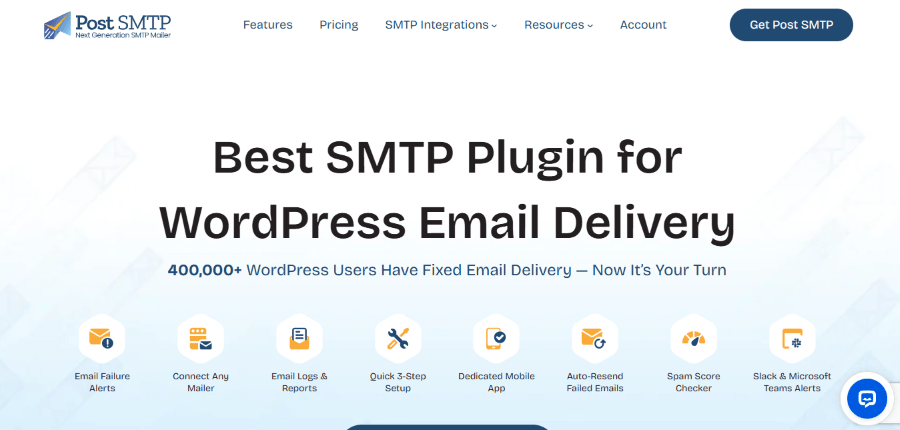
Post SMTP is a WordPress mail delivery plugin designed to replace the standard WordPress mail process with a more controlled SMTP or API-based delivery system. It is built around the idea that website owners should be able to monitor their outgoing email and identify problems when messages fail.
The plugin can connect WordPress with several mail services and supports both SMTP and API-based methods where available. This gives users flexibility when choosing an email provider. Post SMTP also includes a setup wizard that helps users configure their mail connection and test whether the website can send messages correctly.
A major part of Post SMTP is its diagnostic and logging functionality. The plugin keeps records of outgoing messages and provides tools for troubleshooting failed deliveries. This can be helpful for websites that depend on contact forms, user registrations, password resets, WooCommerce notifications, or other automated WordPress emails.
Post SMTP Key Features
- SMTP and API Support: Post SMTP can connect WordPress with supported email services using SMTP and available API integrations.
- Setup Wizard: The configuration process includes a wizard that guides users through mail server setup and connection testing.
- Email Log: Post SMTP records outgoing WordPress emails, allowing administrators to inspect previous messages and review delivery activity.
- Delivery Tracking: The plugin provides tools to check email delivery information and identify messages that may have failed.
- Connectivity Test: Users can test their email configuration to determine whether the selected mail server or provider is working correctly.
- Troubleshooting: Post SMTP includes diagnostic tools intended to help administrators identify problems with WordPress email delivery.
- Fallback Mailer: Post SMTP supports backup SMTP connections, providing websites with an alternative delivery route when the main connection cannot send email.
- Multiple Connections: Administrators can configure multiple mail connections to manage outgoing WordPress emails more flexibly.
- Email Notifications: The plugin can provide notifications when email delivery encounters problems, helping site administrators respond to failures rather than discovering them later.
- Broad Provider Support: Post SMTP works with a range of SMTP servers and email services, allowing users to choose a provider that matches their website’s requirements.
Post SMTP Pricing
Post SMTP offers a free plugin with additional paid features available through its premium offering. The free version can be used to configure WordPress email delivery and includes core SMTP functionality, logging, diagnostics, and support for several mail providers.
Annual Plans
- Basic: $59.99 per year. Includes Pro mailers, Gmail one-click setup, and standard support.
- Professional: $79.99 per year. Adds advanced email delivery, bulk resend for failed emails, all Pro mailers, Gmail one-click setup, and priority support.
- Business: $99.99 per year. Includes Microsoft one-click setup, Pro mobile app features, Microsoft Teams notifications, expert live assistance, and priority support.
Post SMTP Pros and Cons
Pros
- Free version available
- Supports SMTP and API-based connections
- Includes an email log
- Provides troubleshooting tools
- Includes connection testing
- Supports multiple mail connections
- Offers fallback delivery options
- Supports a range of email providers
- Useful for diagnosing WordPress email problems
Cons
- Advanced functionality requires the premium version
- Configuration can be more involved for users unfamiliar with SMTP
- Third-party email providers may charge separately
- The plugin does not replace the need for a reliable email delivery service
4. WP Mail SMTP
WP Mail SMTP is the most popular WordPress email deliverability plugin, trusted by over 4 million website owners to ensure the delivery of critical messages like order confirmations and contact form submissions.
The plugin supports a range of mailers, including popular services such as Gmail, Outlook, SendLayer, Brevo, Mailgun, SendGrid, Amazon SES, SMTP.com, and other SMTP servers. The setup is handled from the WordPress dashboard, and the plugin provides tools for testing and monitoring email activity.
WP Mail SMTP also goes beyond basic SMTP configuration. Its paid plans add features such as detailed email logs, reports, backup connections, alerts, and additional mailer support. This makes it suitable for website owners who need to know more about what happens to their WordPress emails after they are triggered.
WP Mail SMTP Key Features
- Guided Setup Wizard: A simple step-by-step assistant that configures your chosen email provider in minutes.
- Broad Mailer Support: Connects directly with SendLayer, Gmail, Brevo, Mailgun, Amazon SES, Outlook, and custom SMTP servers.
- One-Click Gmail Connection: Connects personal or business Gmail accounts with a single click.
- Email Logging & Reporting: Tracks sent messages directly inside your dashboard and displays delivery statuses.
- Resend Failed Emails: Lets you resend any failed notification directly from your activity logs.
- Instant Failure Alerts: Notify you via email, SMS, Slack, or Teams as soon as a delivery error occurs.
- Backup Connections: Automatically routes messages through a backup mailer if your primary mail service goes down.
- Smart Conditional Routing: Directs different types of emails, like store receipts versus marketing updates, to separate email providers based on rules you choose.
WP Mail SMTP Pricing
WP Mail SMTP has a free version and several paid plans. The paid plans are billed annually.
- Pro: $49 per year. This plan adds features such as email logs, reports, email tracking, resend capability, and other tools for managing WordPress email.
- Elite: $99 per year. It includes the Pro features along with additional support and advanced functionality.
- Developer: $199 per year. This plan is designed for users managing more websites and includes the higher-level features offered by WP Mail SMTP.
- Agency: $399 per year. This is the higher-tier option for agencies and businesses managing more WordPress websites.
The free version is useful for users who mainly need to connect WordPress to an SMTP service. The paid plans become more relevant when email logs, tracking, reports, failure alerts, backup connections, and other management tools are needed.
WP Mail SMTP Pros and Cons
Pros
- Free version available
- Supports several popular email providers
- Paid plans include email logging
- Email reports provide additional visibility
- Supports backup mailers on eligible plans
- Failure alerts can notify administrators about delivery problems
- Supports email tracking and resending
- Higher plans include advanced routing
- White Glove Setup is available with eligible plans
- Suitable for businesses and agencies managing multiple websites
Cons
- Advanced features require a paid plan
- Annual pricing can be higher than free alternatives
- Some features are restricted to higher-tier plans
- Users still need a separate email delivery service or SMTP account
5. Easy WP SMTP
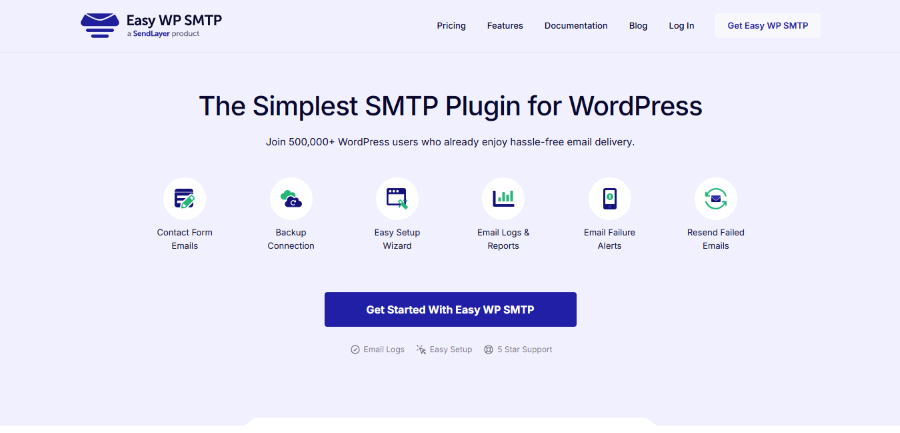
Easy WP SMTP is a user-friendly WordPress plugin created to fix frustrating email delivery issues that cause form notifications, customer receipts, and password reset links to end up in spam folders or disappear completely. Standard WordPress websites rely on basic web hosting mail scripts that lack proper sender authentication, causing modern inbox providers like Gmail and Yahoo to flag those messages as suspicious. By replacing this default setup with secure SMTP routing, the plugin ensures that every outbound email from your site reliably reaches your customer’s inbox.
Easy WP SMTP provides powerful tracking tools like delivery logs, failure alerts sent directly to your email or Slack, and automated backup connections that kick in if your primary provider goes offline. It also features smart conditional routing, so you can send store receipts through one provider and handle marketing updates through another. These extra layers of protection give website owners full control over their email communications without requiring technical skills or coding experience.
Easy WP SMTP Key Features
- Guided Setup Wizard: A simple step-by-step assistant that configures your chosen email provider in minutes.
- Broad Mailer Support: Connects directly with SendLayer, Gmail, Brevo, Mailgun, Amazon SES, Outlook, and custom SMTP servers.
- One-Click Gmail Connection: Connects personal or business Gmail accounts with a single click.
- Email Logging & Reporting: Tracks sent messages directly inside your dashboard and displays delivery statuses.
- Resend Failed Emails: Lets you resend any failed notification directly from your activity logs.
- Instant Failure Alerts: Notifies you by email, SMS, Slack, or Teams as soon as a delivery error happens.
- Backup Connections: Automatically routes messages through a backup mailer if your primary mail service goes down.
- Smart Conditional Routing: Directs different types of emails, like store receipts versus marketing updates, to separate email providers based on rules you choose.
Easy WP SMTP Pricing
Easy WP SMTP offers a free version along with four paid annual plans. The current pricing listed on the official website is:
- Basic: $49.50 per year. This plan is designed for users who need the paid feature set on a single website.
- Plus: $99.50 per year. It provides the additional features of the paid version with a higher website allowance.
- Pro: $199.50 per year. This plan is aimed at users who need the plugin across more websites and includes the advanced features offered by the service.
- Elite: $299.50 per year. This is the highest listed plan and is intended for users managing a larger number of WordPress websites.
The free version can be useful for a website that needs basic SMTP configuration without paying for advanced monitoring features. The paid plans become more useful when a website owner needs logs, reports, tracking, backup connections, and other email management tools.
Easy WP SMTP Pros and Cons
Pros
- Free version available
- Straightforward SMTP configuration
- Supports popular email providers
- Paid plans include email logs
- Provides email reports
- Supports email tracking
- Allows emails to be resent
- Supports backup connections
- Includes failure notifications
- Offers multiple annual plans for different website requirements
Cons
- Advanced monitoring features require a paid plan
- Higher-tier plans are more expensive than a free SMTP solution
- Users need an SMTP or email provider for the actual email delivery
- Some features are available only on selected plans
Which SMTP Plugin Should You Choose?
There is no single winner for every WordPress website. Each plugin in this guide has a different reason for being considered.
GoSMTP is a good choice for users who want advanced email management features such as smart routing, secondary connections, tracking, reports, and failure alerts. Its paid plans are also structured for users managing multiple sites.
FluentSMTP is an excellent option for users seeking a free SMTP plugin with a robust feature set. Its multiple connections, fallback connection, email logging, reporting, and provider integrations make it a practical choice for many WordPress websites.
Post SMTP is worth considering when diagnostics and troubleshooting are important. Its focus on email logs, testing, monitoring, and delivery troubleshooting makes it useful for administrators who want more information about email failures.
WP Mail SMTP is a strong option for businesses and professionals who want a free starting point and a larger set of paid features as their requirements grow. Its paid plans add email logs, reports, tracking, backup connections, alerts, and other management tools.
Easy WP SMTP is suitable for users who want a straightforward SMTP setup with paid options for additional email management features. It offers several plans, making it possible to move to a higher tier as website requirements increase.
Best SMTP Plugins for WordPress Compared
| Plugin | Free Version | Email Logs | Multiple Connections | Backup Connection | Paid Plans |
| GoSMTP | Yes | Paid plans | Yes | Yes | From $39/year |
| FluentSMTP | Yes | Yes | Yes | Yes | Free |
| Post SMTP | Yes | Yes | Yes | Yes | Premium available |
| WP Mail SMTP | Yes | Paid plans | Supported | Supported | From $49/year |
| Easy WP SMTP | Yes | Paid plans | Supported | Supported | From $49.50/year |
The table provides a quick comparison, but price should not be the only factor. The best option depends on your mail provider, website requirements, number of websites, and the level of monitoring you need.
Final Thoughts
A reliable email setup is easy to overlook when building a WordPress website. Most attention goes to design, SEO, speed, security, and content, while email is often treated as something that should simply work in the background.
For business websites, that assumption can be risky. Emails often carry contact requests, account notifications, password resets, order information, and other messages that users expect to receive. Having a clear way to configure and monitor WordPress email can make these processes easier to manage.
Before installing one, identify the email provider you plan to use, decide whether you need logging or backup delivery, and consider how many websites you need to manage. Once those requirements are clear, comparing the SMTP plugins becomes much easier.
