

Visual content has become an important part of running a website. A blog needs featured images, an online store needs product visuals, and landing pages often depend on graphics that explain an offer quickly. Creating every image from scratch can be expensive or simply take too much time for a small team.
AI image tools give website owners another option. They can turn written instructions into images, modify existing graphics, remove unwanted elements, create variations, and produce designs for different marketing needs. However, the products in this category are not identical. Some are built for creative professionals, while others are designed for people who want to create useful graphics without learning professional design software.
The four tools below are among the Best AI Tools To Buy for websites that need regular visual content.
Midjourney
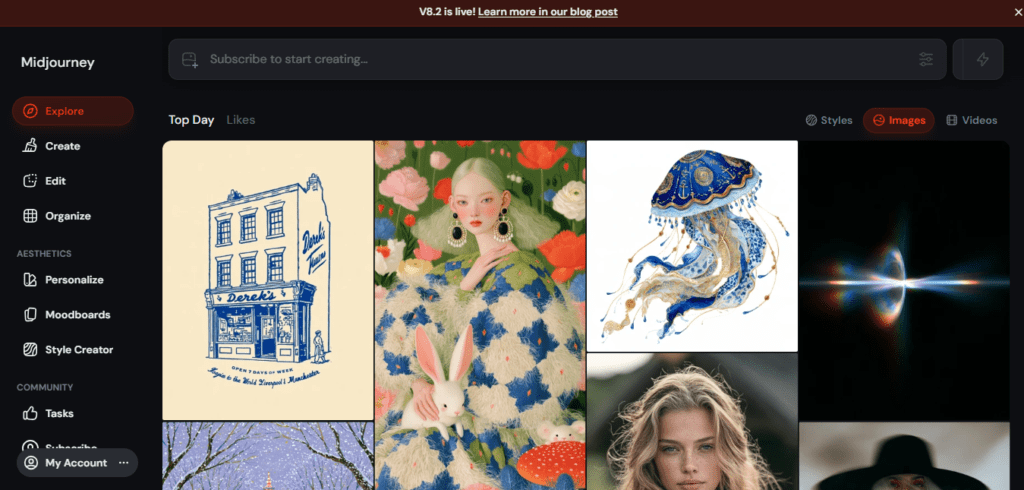
Midjourney is an AI image generation platform known for creating detailed images from text prompts. It is particularly popular among designers, marketers, creators, and businesses that need original visual concepts rather than stock photography.
The platform has evolved beyond its earlier Discord-based workflow. Users can now work through the Midjourney website, create images, explore visual ideas, and use features such as image references and personalization. Midjourney also provides tools for editing and modifying generated images.
For website owners, its biggest value is creative flexibility. A marketer can describe a visual concept instead of searching through stock libraries or waiting for a designer to produce an initial concept. The resulting image can then be refined until it fits the project.
Key Features
- Text-to-Image: Generate original images from written prompts.
- Image Prompts: Use existing images to influence a new generation.
- Style References: Guide the visual style of generated images.
- Personalization: Adjust generations toward individual visual preferences.
- Editor: Modify and expand generated images.
- Remix: Change elements of an existing generation while retaining its overall concept.
- Variations: Explore alternative versions of generated images.
- Web Creation: Generate and manage images through Midjourney’s web platform.
- Explore: Browse other creations for ideas and visual inspiration.
- Moodboards: Build collections of visual references to influence generations.
Midjourney Pricing
Midjourney currently offers four main subscription levels:
- Basic: $10 per month or $96 per year.
- Standard: $30 per month or $288 per year.
- Pro: $60 per month or $576 per year.
- Mega: $120 per month or $1,152 per year.
The higher plans provide more GPU capacity and additional features such as Stealth Mode on Pro and Mega.
Pros and Cons
Pros
- Strong creative image generation.
- Useful for original website visuals and concepts.
- Supports image references and style control.
- Includes editing and variation tools.
- Several pricing levels are available.
Cons
- It can take time to learn effective prompting.
- It is primarily a creative image platform rather than a full design suite.
- Higher usage requires more expensive plans.
For Whom Midjourney Is Built For
Midjourney is a strong option for designers, marketers, creative agencies, publishers, and website owners who want distinctive visuals rather than generic stock images.
Without an AI image generator, businesses may depend heavily on stock libraries or designers for every visual. Midjourney can speed up the idea and production stages, although important commercial images should still receive human review before publication.
Adobe Firefly
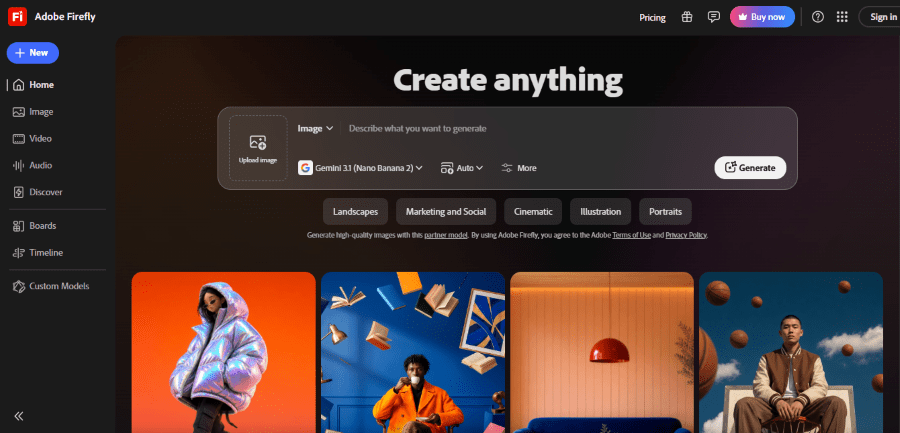
Adobe Firefly brings generative AI into Adobe’s creative ecosystem. Rather than operating only as an image generator, Firefly is designed to work alongside Adobe’s broader collection of creative applications.
Its current capabilities include text-to-image generation, generative fill, text effects, video generation, image editing, and other creative AI functions. Adobe has also added multiple generative models and features that allow users to work with different types of creative content.
This makes Firefly particularly useful for businesses that already use Adobe products. A designer can generate or modify an image and then continue working within an established Adobe workflow instead of moving the asset to another platform.
Adobe also places considerable emphasis on commercially safe generative AI. Firefly’s first model was trained on licensed content and public domain content, and Adobe provides Content Credentials for applicable generated content.
Key Features
- Text to Image: Generate images from written descriptions.
- Generative Fill: Add, remove, or replace elements in images.
- Generative Expand: Extend an image beyond its original boundaries.
- Text Effects: Generate visual effects for text.
- Text to Video: Create video clips from text prompts on supported plans.
- Image Editing: Make AI-assisted changes to existing images.
- Reference Images: Guide generations using existing visual material.
- Generative Remove: Remove unwanted elements from images.
- Adobe Integration: Use Firefly features within Adobe’s wider creative ecosystem.
- Content Credentials: Identify applicable AI-generated or AI-edited content.
Adobe Firefly Pricing
Adobe currently offers several Firefly plans.
- Firefly Standard: $9.99 per month.
- Firefly Premium: $199.99 per month.
Adobe also offers a Firefly Free option with limited generative credits.
Firefly functionality is also available through some Creative Cloud plans, depending on the subscription. Adobe’s pricing and credit allocations vary by plan and can change as new generative features are introduced.
Pros and Cons
Pros
- Strong integration with Adobe products.
- Supports image generation and editing.
- Includes generative fill and expansion.
- Offers video generation on supported plans.
- Useful for professional design workflows.
Cons
- Advanced usage can become expensive.
- The number of generative credits depends on the plan.
- Users who only need occasional AI images may not need the full Adobe ecosystem.
For Whom Adobe Firefly Is Built For
Firefly is best suited to designers, agencies, marketers, publishers, and businesses already working with Adobe tools.
For an Adobe-based team, using Firefly can reduce the need to export assets to separate AI tools for every generation or edit. For someone who simply needs a few images for a small blog, however, a simpler image generator may be more practical.
Canva
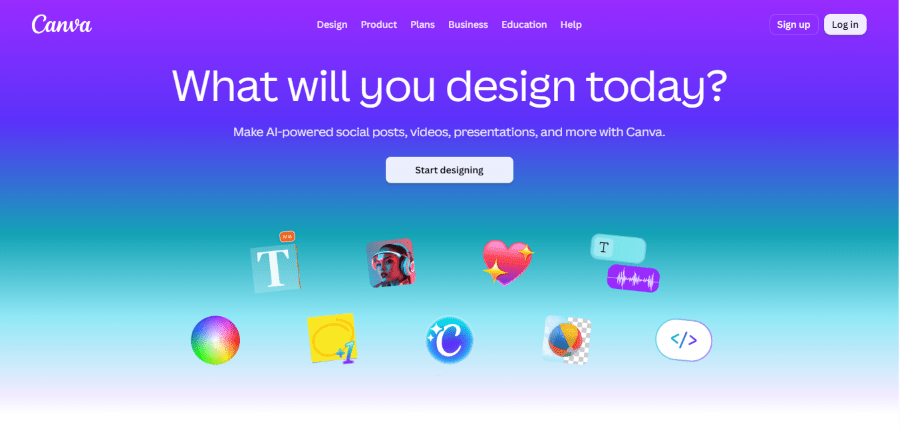
Canva has become one of the more accessible design platforms for people who are not professional designers. Its AI features extend that idea by allowing users to create and edit visual content through prompts while still having access to Canva’s familiar design editor.
Canva’s AI tools are grouped under Magic Studio, which includes features such as Magic Write, Magic Design, Magic Media, Magic Eraser, Magic Edit, and other AI-powered functions.
For website owners, this combination is important. Canva is not only about generating an image. It can help turn that image into a complete website banner, social graphic, presentation, advertisement, thumbnail, or other marketing asset.
This makes it one of the most practical choices for small businesses where the same person may be responsible for writing content, creating graphics, preparing social posts, and updating the website.
Key Features
- Magic Media: Generate images and other media from text prompts.
- Magic Design: Create designs from a prompt or uploaded content.
- Magic Write: Generate, rewrite, summarize, and improve text.
- Magic Eraser: Remove unwanted objects from images.
- Magic Edit: Add, replace, or modify elements in an image.
- Background Remover: Remove image backgrounds automatically.
- Resize: Adapt designs for different platforms and dimensions.
- Brand Kit: Keep fonts, colors, logos, and brand assets organized.
- Templates: Start designs from ready-made templates.
- AI-powered layouts: Generate design ideas without starting from a blank canvas.
Canva Pricing
Canva offers a Free plan with access to a selection of design and AI features.
- Canva Pro: $15 per month for one person, or $120 per year.
- Canva Business: $20 per person per month, according to Canva’s current pricing information. The Business plan is designed for growing teams and includes increased AI usage and collaboration features.
Canva also offers Enterprise pricing for larger organizations, with pricing provided according to business requirements.
The exact AI limits depend on the plan and the specific Magic Studio feature being used.
Pros and Cons
Pros
- Easy for beginners to use.
- Combines AI generation with a complete design editor.
- Large template library.
- Useful for websites and social media.
- Free plan is available.
- Strong brand management features on paid plans.
Cons
- Advanced AI usage is restricted by plan.
- Some features work better for marketing graphics than completely original artwork.
- Professional designers may want more specialized creative controls.
For Whom Canva Is Built For
Canva is particularly useful for small businesses, bloggers, marketers, freelancers, educators, and website owners who need to create many types of visual content without hiring a designer for every task.
Without Canva, a business may need separate tools for image editing, social graphics, presentations, thumbnails, and simple marketing designs. Canva can bring many of these tasks into one workspace.
Ideogram

Ideogram focuses on AI image generation with particular attention to typography and text inside images. That makes it useful for website owners who need posters, logos, social graphics, advertising concepts, product visuals, and other images where readable text is important.
The platform supports text-to-image generation and tools for modifying and refining images. Its design-focused capabilities make it useful when the desired result is closer to a finished marketing graphic than a simple AI-generated illustration.
Ideogram also offers features such as Canvas, which provides a larger workspace for creating and editing visual compositions. This gives users more control than simply generating one image and downloading it.
Key Features
- Text-to-Image: Generate images from written prompts.
- Typography: Create images containing readable text.
- Canvas: Work with generated images in a larger creative workspace.
- Magic Fill: Modify selected areas of an image.
- Extend: Expand images beyond their original boundaries.
- Remix: Create variations based on an existing image.
- Image Uploads: Use existing images as part of the creative process.
- Style References: Guide generations using visual references.
- Private Generations: Keep selected creations private on applicable plans.
- Batch Generation: Generate multiple image options as part of a workflow.
Ideogram Pricing
Ideogram currently offers several subscription plans:
- Basic: $20 per month when billed annually.
- Plus: $30 per month when billed annually.
- Pro: $60 per month when billed annually.
Ideogram also offers a free plan with limited generation capacity.
The paid plans increase the number of available image generations and provide additional features such as private generation and other advanced capabilities.
Pros and Cons
Pros
- Strong focus on text within generated images.
- Useful for marketing graphics and typography.
- Includes Canvas and editing tools.
- Offers multiple subscription levels.
- Free plan available.
Cons
- It is more specialized than a complete design platform such as Canva.
- Heavy users may need a higher plan.
- Results still require review for spelling, layout, and visual accuracy.
For Whom Ideogram Is Built For
Ideogram is a good choice for marketers, designers, content creators, small businesses, and website owners who frequently need images containing words, headlines, labels, or other typography.
For example, a business creating promotional graphics may find it useful when ordinary image generators struggle with readable text. Without such a tool, these graphics often require additional editing after generation.
Which AI Image Tool Should You Buy?
The best choice depends on the kind of visual work your website requires.
Midjourney is the stronger option for creative image generation and distinctive visual concepts.
Adobe Firefly is a better fit for professional creative teams that already use Adobe’s design ecosystem.
Canva is the most practical option for businesses that need both AI generation and everyday graphic design in one platform.
Ideogram stands out when images need readable text, typography, or marketing-style compositions.
The implications of not using AI image tools are not necessarily negative. A business can still produce excellent visual content using photographers, designers, stock libraries, and traditional design software. The difference is mainly speed and flexibility. AI can provide a starting point quickly, produce several concepts, and handle simple edits that might otherwise take more time.
However, speed should not be confused with quality. Website images still need to represent the business accurately, fit the brand, and avoid misleading customers. AI-generated visuals are most useful when they support a clear design strategy rather than being added simply because an AI feature is available.
