

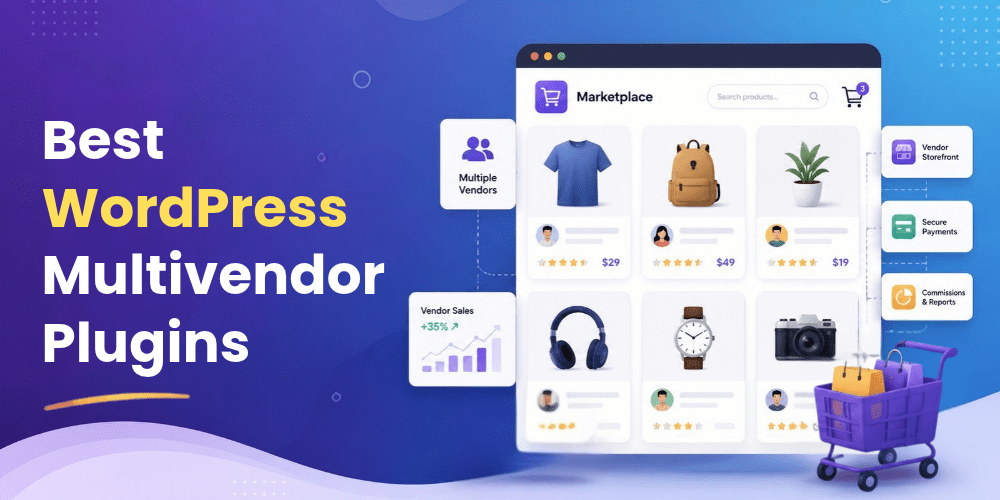
Running a marketplace on WordPress is different from running a standard online store. A regular WooCommerce setup is usually managed by one store owner, while a multivendor marketplace needs a system that lets several sellers add products, manage orders, receive commissions, and operate their own storefronts.
WooCommerce’s own documentation describes Product Vendors as an extension that can turn a store into a multi-vendor marketplace, allowing vendors to manage their own products while the store owner controls commissions and payouts. That difference matters because the right marketplace plugin can reduce day-to-day admin work and give vendors more control without handing them access to the entire WordPress dashboard.
The challenge is choosing a plugin that matches the way your marketplace will actually work. Some tools are designed for a simple product marketplace. Others are better suited to large vendor networks, subscriptions, bookings, B2B sales, or highly controlled vendor management.
This guide looks at seven of the Best WordPress Multivendor Plugins worth considering today. It covers the features, pricing, advantages, drawbacks, and the type of business each product is best suited to.
1. StoreEngine
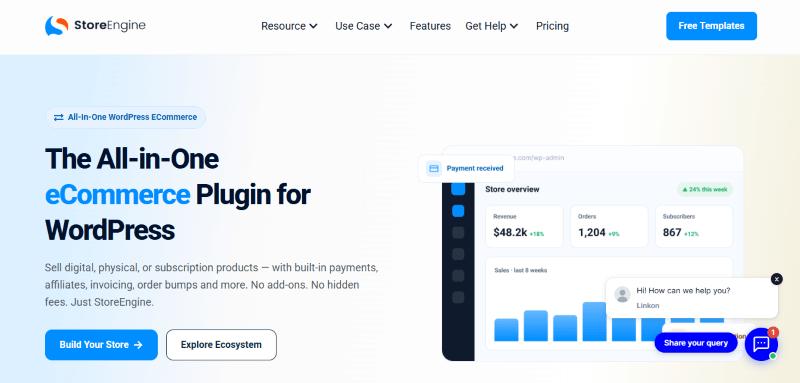
StoreEngine takes a different approach to the multivendor model because its marketplace system is built into the wider StoreEngine ecommerce platform rather than depending on WooCommerce as the foundation. Its current marketplace offering includes vendor registration, product management, commissions, withdrawals, order routing, shipping rules, vendor reviews, analytics, KYC verification, and split payments. StoreEngine also says its core marketplace functionality is built directly into the platform, so another marketplace plugin is not required.
That makes StoreEngine particularly interesting for business owners who want fewer moving parts. Vendors can register from the front end, wait for approval, manage their products from their own dashboard, and receive order notifications. The marketplace owner can assign commission rates and manage the relationship from one system.
StoreEngine Key Features
- Vendor Registration: Vendors can apply from a front-end registration form and wait for admin approval before selling.
- Vendor Product Dashboard: Approved sellers can add and manage their own products from the vendor area.
- Commission and Revenue Split: Set individual commission rates and let StoreEngine calculate the vendor and marketplace portions.
- Automated Order Splits: Orders containing products from different vendors can be split automatically.
- Vendor Payouts: Vendors can request withdrawals, while Pro features add scheduled payout options.
- Per Vendor Shipping: Vendors can manage their own shipping zones and rates, with marketplace defaults available.
- Vendor Ratings and Reviews: Customers can rate sellers after completing purchases, with moderation controls for the marketplace owner.
- Vendor KYC: Sellers can submit identification documents for review during registration.
- Marketplace Analytics: View sales, commissions, top products, and refund rates by vendor and across the marketplace.
- Supplier and Profit Tracking: Track supplier costs, courier charges, and net profit rather than looking only at gross sales.
- OTP Fraud Prevention: Customers can be asked to verify orders through SMS or email before an order reaches fulfillment.
StoreEngine Pricing
StoreEngine’s current pricing page lists the following plans:
| Plan | Price | Sites |
| Individual | $49/year | 1 |
| Business | $99/year | 10 |
| Business Plus | $114/year | 25 |
| Enterprise | $134/year | 100 |
| Individual Lifetime | $159 one-time | 1 |
| Business Lifetime | $299 one-time | 10 |
| Business Plus Lifetime | $339 one-time | 25 |
| Enterprise Lifetime | $399 one-time | 100 |
The pricing page currently shows promotional pricing, while the listed normal prices are higher. Paid plans include the platform’s free and premium features, with annual plans including yearly updates and support and lifetime plans including lifetime updates and support.
StoreEngine Pros and Cons
Pros: Standalone ecommerce platform, built-in multivendor tools, strong order and profit management, KYC and fraud controls, shipping and supplier features, lifetime pricing options.
Cons: Its marketplace approach is newer than some established WooCommerce solutions, and businesses already deeply invested in WooCommerce may prefer to stay within that ecosystem.
For Whom StoreEngine Is Built For
StoreEngine is a good fit for store owners starting a marketplace from scratch who want ecommerce, vendor management, payments, shipping, and operational tools in one platform. It is also worth considering for businesses that would rather avoid assembling a marketplace from WooCommerce plus several separate extensions.
2. YITH WooCommerce Multi Vendor
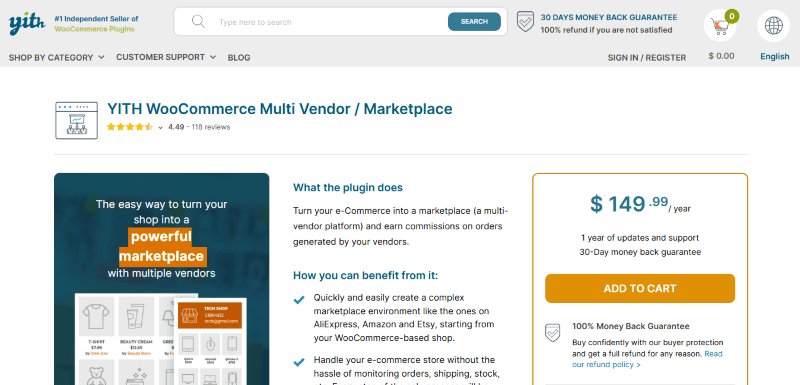
YITH WooCommerce Multi Vendor is built for businesses that already use WooCommerce and want to turn a single store into a marketplace. It provides vendor registration, seller approval, product permissions, commission management, vendor dashboards, separate order handling, store pages, shipping controls, and marketplace reporting.
The plugin gives the marketplace owner a fairly detailed level of control. You can require manual approval for vendors, limit how many products they can publish, decide whether products need admin approval, control coupon access, and set different commission rules for individual vendors or products.
Another useful feature is the vendor staff system. Vendors can create staff accounts and assign permissions for product management, reports, refunds, and coupons. That is helpful when a marketplace contains professional sellers with their own teams rather than one person managing each account.
YITH WooCommerce Multi Vendor Key Features
- Vendor Registration: Create and customize a registration form and choose manual or automatic approval.
- Vendor Permissions: Control product publishing, editing, coupons, reviews, refunds, and other seller actions.
- Vendor Commissions: Set global, vendor-level, and product-level commission rates.
- Commission Tax Control: Decide whether taxes are credited to the admin, vendor, or shared.
- Automated Payouts: Integrate with Stripe Connect or PayPal Payouts for automated commission payments.
- Vendor Store Pages: Give every seller a dedicated storefront with custom branding and business details.
- Vendor Shipping Management: Allow sellers to create shipping zones, methods, costs, and shipping terms.
- Vendor Staff: Sellers can create staff members and assign different permissions.
- Vendor Vacation: Vendors can temporarily close their stores and choose whether sales remain active.
- Report Abuse: Customers can report issues related to vendor products.
- Vendor Announcements: Administrators can send targeted dashboard messages to vendors or vendor groups.
- Marketplace Reporting: Monitor sales, commissions, earnings, orders, vendors, and top-performing products.
YITH WooCommerce Multi Vendor Pricing
YITH’s current product pricing is listed at $149.99 per year for one website. The license includes one year of updates, bug fixes, and technical support, along with a 30-day money-back guarantee.
One point worth remembering is that some advanced functions in the wider YITH ecosystem are handled through separate YITH plugins. For example, automated payments can use YITH Stripe Connect or YITH PayPal Payouts integrations.
YITH Pros and Cons
Pros: Strong vendor controls, detailed commissions, vendor staff management, good store page options, deep YITH ecosystem integration.
Cons: WooCommerce is required, and some advanced marketplace functions can involve additional YITH extensions.
For Whom YITH WooCommerce Multi Vendor Is Built For
YITH is a sensible choice for WooCommerce store owners who already use YITH products or want a controlled marketplace where vendor permissions matter. It works particularly well for businesses that want to maintain tight oversight over sellers instead of giving vendors broad freedom.
3. Dokan

Dokan is one of the most established names in the WordPress multivendor space and focuses heavily on making marketplace setup accessible to store owners. The platform is built around WooCommerce and gives vendors their own front-end dashboard for managing products, orders, stores, and marketplace activities.
One of Dokan’s strongest points is the breadth of its marketplace ecosystem. The current product site lists support for multiple payment methods, multilingual commerce, shipping options, integrations, and more than 40 premium modules across its higher plans. It also includes tools for areas such as seller verification, subscriptions, auctions, geolocation, staff management, product advertising, and booking integration.
Dokan Key Features
- Frontend Vendor Dashboard: Vendors can manage products, orders, and store operations without working directly inside the main WordPress dashboard.
- Vendor Management: Marketplace owners can manage seller accounts, permissions, commissions, and approvals.
- Product Management: Vendors can create and manage their products from the front end.
- Vendor Analytics: Sellers can access reports and performance information about their stores.
- Commission Management: Configure different commission structures for marketplace sales.
- Vendor Verification: Add seller verification features to improve marketplace trust.
- Payment Integrations: Dokan supports a wide range of payment methods and marketplace payment options.
- Product Advertising: Sellers can promote products inside the marketplace.
- Request for Quotation: Useful for marketplaces where customers negotiate or request pricing.
- Auction Support: Build auction based marketplace models with the relevant module.
Dokan Pricing
Dokan’s current annual pricing page lists:
| Plan | Current Price | Sites |
| Starter | $149/year | 1 |
| Professional | $199/year | 3 |
| Business | $374/year | 5 |
| Enterprise | $699/year | 20 |
| Starter Lifetime | $708 one-time | 1 |
| Professional Lifetime | $934 one-time | 3 |
| Enterprise Lifetime | $1622 one-time | 5 |
| Professional Lifetime | $3257 one-time | 20 |
The current page also lists lifetime plans, and pricing can change during promotional periods. The annual tiers differ mainly in the number of sites and premium modules included.
Dokan Pros and Cons
Pros: Large feature set, strong vendor dashboard, extensive module ecosystem, multiple payment options, mobile and marketplace expansion tools.
Cons: Advanced features can require higher plans, and the number of modules may feel excessive for smaller businesses that only need a basic marketplace.
For Whom Dokan Is Built For
Dokan is a strong fit for businesses that want a mature WooCommerce marketplace platform with room to expand. It is especially suitable for agencies, established ecommerce stores, and businesses planning to add more advanced vendor, payment, booking, auction, or mobile capabilities over time.
4. WC Vendors
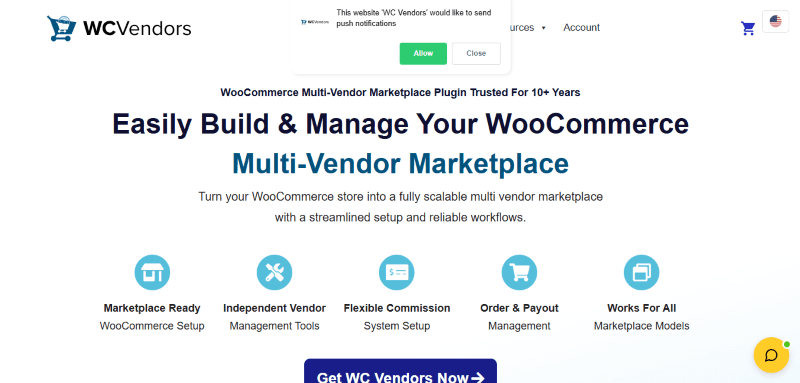
WC Vendors focuses on giving WooCommerce store owners the tools needed to operate a marketplace without making the setup unnecessarily complicated. The platform supports physical products, digital downloads, services, subscriptions, and other WooCommerce product models. Its vendor dashboard allows sellers to manage products, orders, and store settings from the front end.
One of WC Vendors’ practical advantages is its broad WooCommerce compatibility. The company says the plugin works with WooCommerce-compatible payment gateways and supports more than 100 payment gateway options through WooCommerce. That makes it easier to adapt a marketplace to different countries and payment preferences.
WC Vendors also puts considerable attention on commissions and payouts. Pro includes multiple commission structures, vendor coupons, shipping controls, order management, vendor feedback, and Stripe Connect for automated payment handling. The higher plans extend the platform with subscriptions, vendor memberships, booking support, auctions, registration tools, and other features.
WC Vendors Key Features
- Vendor Dashboard: Sellers can manage products, orders, and their stores from a dedicated front-end interface.
- Product Management: Support for standard WooCommerce product types and more advanced product models through compatible extensions.
- Flexible Commissions: Set commissions globally, by vendor, or by product, with additional commission structures in Pro.
- Vendor Coupons: Vendors can create their own promotional coupons.
- Shipping Management: Sellers can configure their own shipping settings.
- Tax Management: Vendor tax settings can be controlled as part of marketplace operations.
- Stripe Connect: Automate seller payouts and payment splitting.
- Vendor Feedback: Customers can provide feedback about vendors.
- Vendor Memberships: Create paid plans for sellers and control features based on the membership level.
- Subscription Support: Allow sellers to work with WooCommerce Subscriptions.
- Vendor Registration: Build registration and approval workflows for new sellers.
- Follow Vendors: Let customers follow stores and receive personalized vendor related offers.
- Bookings and Auctions: Available through the higher Business package and related integrations.
WC Vendors Pricing
WC Vendors currently lists these main annual plans:
| Plan | Price |
| Pro | $99.50/year |
| Growth | $159.60/year |
| Business | $299.50/year |
The plans are for a single production domain, with staging and development use permitted under the license terms. WC Vendors notes that the displayed lower prices are introductory promotions and renewals return to the regular price.
WC Vendors Pros and Cons
Pros: WooCommerce-native approach, flexible commissions, strong vendor dashboard, Stripe Connect support, broad marketplace model support.
Cons: Some advanced capabilities are locked into higher plans or separate integrations, and the full feature set may require careful planning before purchase.
For Whom WC Vendors Is Built For
WC Vendors is a good choice for businesses that want a WooCommerce marketplace with strong vendor controls but do not necessarily need the huge module ecosystem offered by Dokan. It is also attractive for businesses that want automated payouts and flexible commission structures.
5. MultiVendorX
MultiVendorX is designed for businesses that want to build different kinds of marketplaces rather than only a standard multi-seller store. Its feature set covers vendor management, products, commissions, shipping, analytics, memberships, vendor communication, verification, SEO, and several marketplace models.
The platform gives marketplace owners a broad set of tools for vendor growth and operational control. Its current feature list includes bulk product uploads, product cloning, import and export tools, custom product fields, bulk editing, vendor-buyer chat, sales analytics, inventory alerts, Google Analytics integration, SEO integrations, and vendor verification tools.
MultiVendorX can also be useful for businesses that want to experiment with specialized marketplace models. The plugin’s comparison tools cover multiple marketplace types and its Pro plans expand the number of payment methods, shipping options, modules, reports, and membership capabilities available to the marketplace owner.
MultiVendorX Key Features
- Vendor Management: Manage seller accounts and marketplace relationships from the WordPress admin area.
- Advanced Product Management: Bulk upload, clone, import, export, edit, and customize vendor products.
- Vendor Buyer Chat: Give customers and sellers a direct communication channel.
- Sales Analytics: Review marketplace performance and vendor activity.
- Inventory Alerts: Monitor stock and identify products that may need attention.
- Vendor Verification: Add seller verification and identity related marketplace controls.
- Vendor Store Timing: Vendors can publish store opening and closing schedules.
- Holiday Scheduling: Sellers can set planned holiday periods.
- SEO Integration: Connect marketplace data with SEO tools including Yoast and Rank Math.
- Membership Plans: Create vendor membership structures for different marketplace tiers.
- Commission Management: Manage vendor commissions and marketplace revenue rules.
- Payment Tools: Pro adds additional payment methods and commission handling options.
MultiVendorX Pricing
MultiVendorX currently lists the following Pro plans:
| Plan | Price | Sites |
| Starter | $299/year | 1 |
| Growth | $399/year | 3 |
| Agency | $499/year | 10 |
There is also a $39/month option for one site. The vendor states that the paid plans include the same core feature set, with the primary difference between the annual tiers being the number of sites covered.
MultiVendorX Pros and Cons
Pros: Broad marketplace support, strong vendor tools, useful analytics, product management functions, niche marketplace capabilities.
Cons: The starting paid price is higher than several competitors, so it may be difficult to justify for a small marketplace with modest requirements.
For Whom MultiVendorX Is Built For
MultiVendorX is best suited to businesses that need more than a basic vendor marketplace and want specialized functions for vendors, bookings, memberships, product management, analytics, or niche marketplace models.
6. MarketKing
MarketKing is a feature-heavy marketplace plugin for WooCommerce and is aimed at businesses that want deep control over vendors while keeping the seller experience polished. The platform currently advertises more than 137 features and includes tools for vendor products, orders, coupons, invoices, commissions, staff, subscriptions, store pages, and marketplace reporting.
One of MarketKing’s most notable features is its split cart system. When a customer purchases products from several vendors, MarketKing can split the order into separate vendor sub-orders while keeping the shopping process unified for the customer. Vendor shipping options can also be handled separately.
For B2B marketplaces, MarketKing can connect with B2BKing, adding wholesale pricing, product visibility, minimum order requirements, and related business buying tools. This makes the plugin especially interesting for marketplaces that serve professional buyers rather than only consumers.
MarketKing Key Features
- Vendor Dashboard: Full front-end management for products, orders, coupons, earnings, refunds, invoices, and store settings.
- Split Cart System: Divide multi-vendor purchases into separate vendor sub-orders.
- Single Product Multiple Vendors: Allow several sellers to compete on the same product with different prices or vendor ratings.
- Advanced Commissions: Configure flat, percentage, or combined commissions by vendor, category, or tag.
- Vendor Memberships: Create paid vendor packages with different product and feature limits.
- Vendor Groups: Organize sellers into groups with different rules and permissions.
- Vendor Staff: Allow vendors to create employee accounts and assign permissions.
- Vendor Store Pages: Let sellers control their storefront branding and profiles.
- Vendor Earnings: Show sellers their earnings, commissions, balances, and payouts.
- Vendor Coupons: Give sellers native WooCommerce coupon management.
- Vendor Reviews: Support store reviews and vendor responses.
- Seller Verification: Collect and review documents for seller verification.
- Store SEO: Give vendors control over SEO settings for their stores.
- B2B Integration: Connect with B2BKing for wholesale and business marketplace functions.
MarketKing Pricing
MarketKing’s current official pricing page lists:
| Plan | Current Price | Sites |
| Startup | $189/year | 1 |
| Pro | $279/year | 3 |
| Developer | $399/year | Unlimited |
These are currently promotional prices, and the site states that renewals return to the regular price. Each plan includes the core MarketKing feature set, with higher plans increasing the number of licensed websites and support level.
MarketKing Pros and Cons
Pros: Very rich feature set, excellent vendor dashboard, split cart, vendor groups, B2B integration, detailed commissions, strong storefront controls.
Cons: The number of settings can be a lot for beginners, and businesses may not need many of its advanced modules.
For Whom MarketKing Is Built For
MarketKing is particularly suitable for serious WooCommerce marketplace businesses, agencies, and B2B marketplace operators that need deep seller control and a large set of built-in marketplace functions.
7. WCFM Marketplace

WCFM Marketplace takes a flexible approach to marketplace building. Its core marketplace plugin is free, while additional premium extensions can be added based on the features a business needs. This makes it attractive for smaller businesses that want to start with basic marketplace functionality without immediately committing to a large paid package.
The free marketplace plugin supports important functions such as vendor commissions, withdrawals, vendor management, and a vendor dashboard. WCFM’s documentation also provides tools for setting up vendor fees, commission rules, withdrawal methods, and seller management.
WCFM Marketplace Key Features
- Free Core Marketplace: Launch the basic marketplace without paying for the core plugin.
- Vendor Dashboard: Give sellers a dedicated interface for operating their stores.
- Commission Management: Configure percentage, fixed, combined, product, vendor sales, and quantity based commission rules.
- Withdrawal Management: Support manual, periodic, and order-status based withdrawals.
- Multiple Payment Methods: Support options such as PayPal, Stripe, Stripe Split Pay, bank transfer, and other methods.
- Vendor Management: Control seller accounts, products, commissions, and marketplace settings.
- Multilingual Support: Build marketplaces intended for customers and sellers in different languages.
- Vendor Mobile Tools: Use mobile solutions for store and delivery operations.
- Ultimate Extension: Add advanced marketplace functionality through WCFM Ultimate.
- Groups and Staff: Provide vendor teams with additional staff and permissions.
- Affiliate Tools: Expand the marketplace with vendor affiliate functionality.
WCFM Marketplace Pricing
WCFM Marketplace’s core plugin is free. Its current official site lists these premium extensions:
| Plan | Price |
| Up to 2 Sites for 1 Year | $224 |
| Up to 2 Sites for 3 Years | $454 |
| Up to 2 Sites for Lifetime | $632 |
| Unlimited Sites for Lifetime | $1,015 |
The final cost depends on which extensions your marketplace requires. This a-la-carte model can keep the starting cost low, although a marketplace needing several extensions may eventually spend more.
WCFM Marketplace Pros and Cons
Pros: Free core plugin, flexible extension system, strong commission controls, vendor dashboard, multilingual support, mobile options.
Cons: Advanced functionality is spread across extensions, which can make planning and maintenance more complicated.
For Whom WCFM Marketplace Is Built For
WCFM is a strong option for startups, small businesses, developers, and agencies that want to control costs and add marketplace capabilities as the project grows. It also suits technically confident users who prefer an a-la-carte setup.
How to Choose the Best WordPress Multivendor Plugin
Start by deciding whether you want to remain inside WooCommerce. StoreEngine is the notable exception in this list because it provides a standalone ecommerce and marketplace environment without requiring WooCommerce.
Next, look closely at commissions and payouts. A plugin may advertise commission support, but your business could require different rates by vendor, product, category, or membership level. Automated payouts can also make a major difference once manual payments become difficult to track.
Vendor management should be treated as equally important. A good marketplace needs registration, approval, product permissions, vendor dashboards, customer communication, and ways to suspend or manage poor-performing sellers.
Finally, check the pricing model rather than only the headline price. WCFM uses paid extensions, Dokan and MultiVendorX use larger package structures, WC Vendors combines plans and extensions, YITH works closely with its wider plugin ecosystem, MarketKing bundles a large feature set, and StoreEngine combines its marketplace with a broader ecommerce platform.
Final Thoughts
The Top WordPress Multivendor Plugins do not all solve the same problem. StoreEngine is appealing for an all-in-one standalone approach. YITH works well for businesses already invested in its WooCommerce ecosystem. Dokan offers a broad marketplace platform with a large module library. WC Vendors combines flexibility with a strong WooCommerce foundation. MultiVendorX is worth considering for specialized marketplace models. MarketKing stands out for advanced vendor controls and B2B capabilities. WCFM Marketplace remains attractive for businesses that want a free core platform and the ability to add extensions as needed.
There is no single plugin that is automatically the right choice for every marketplace. The better decision comes from matching the software to your vendors, commission model, payout process, product types, and long-term growth plans.
